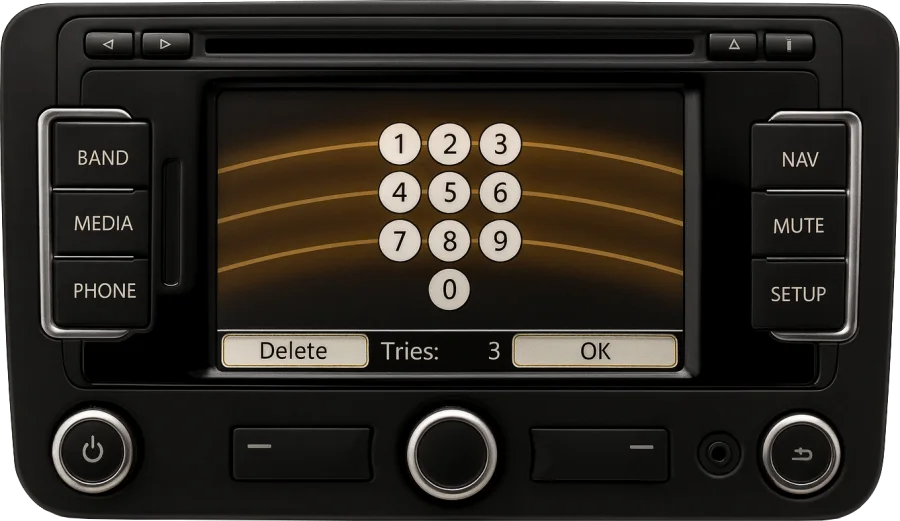
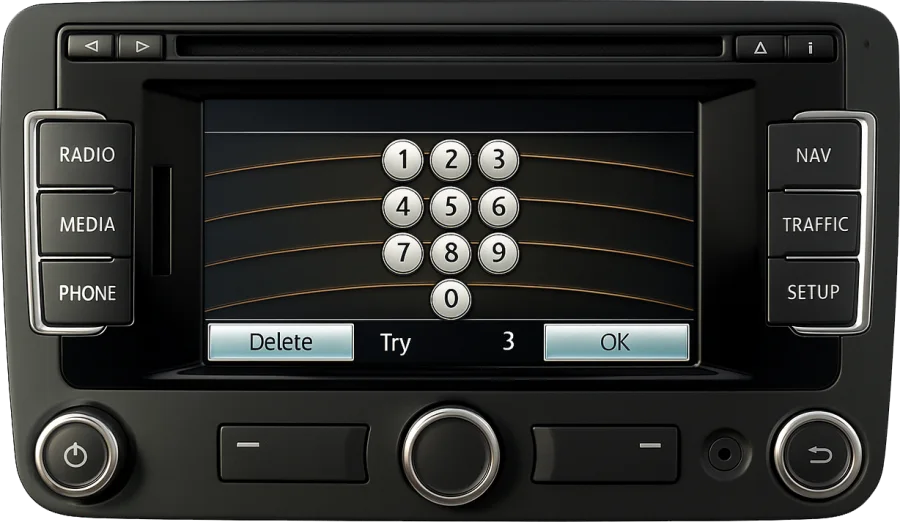
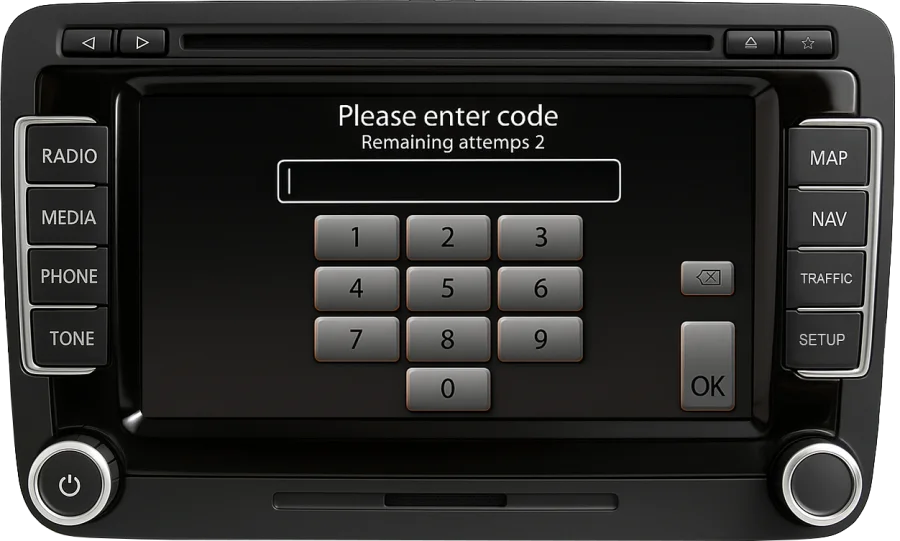
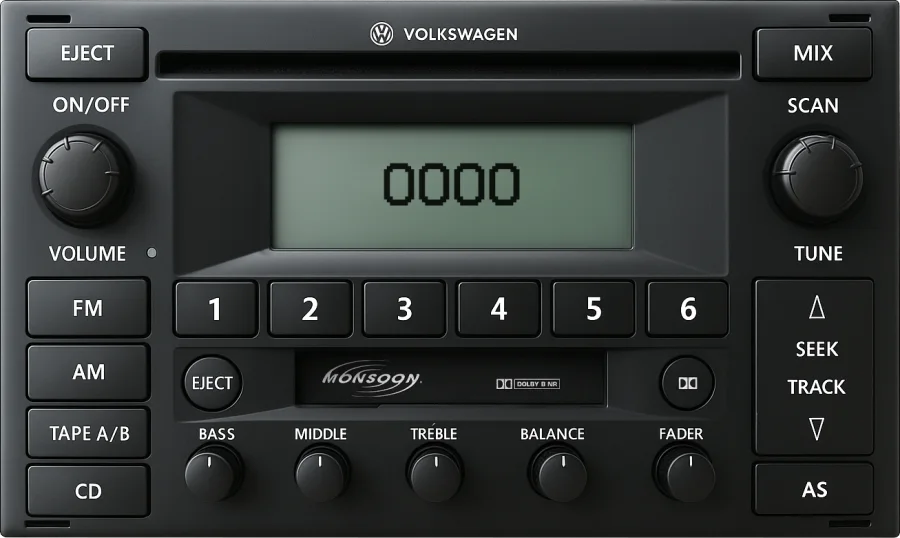
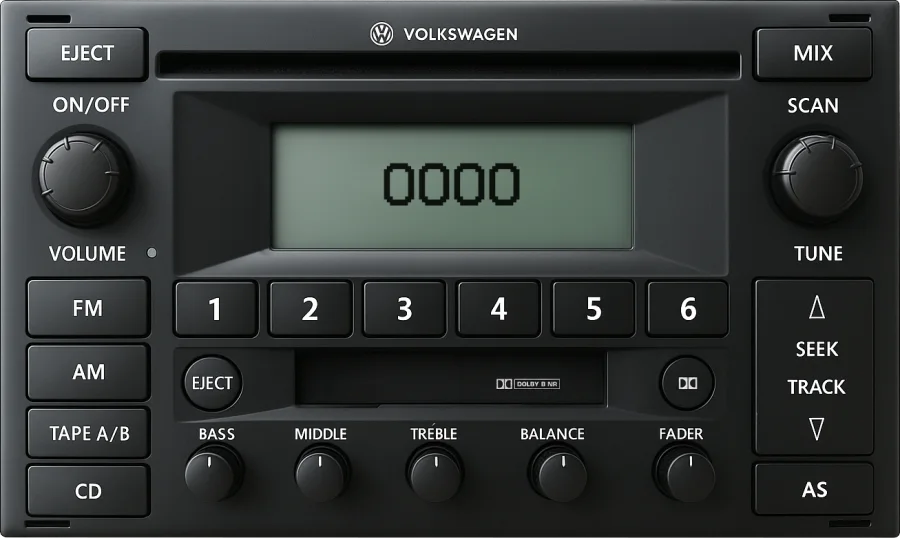
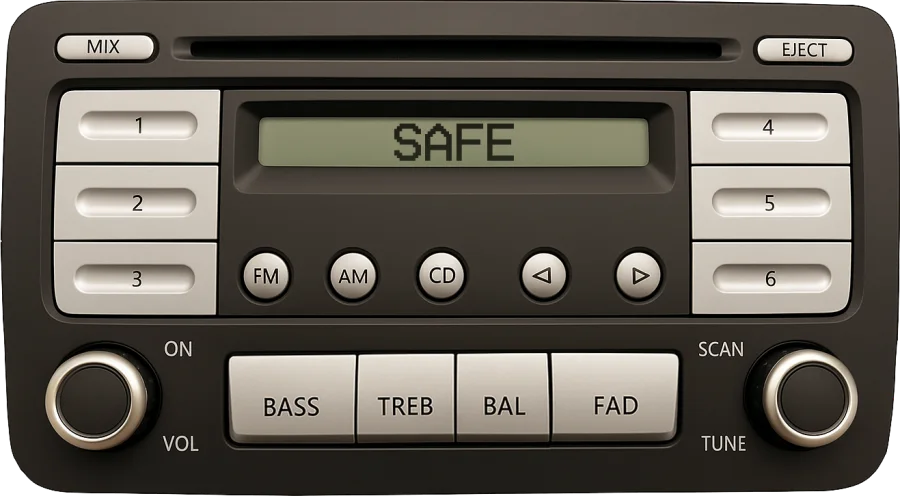
Alpha · Beta · Gamma · Delta · RCD · RNS · Premium

VW radio code unlock from the serial number

Shows SAFE1000CODE? Type the VWZ serial from the radio's label, or scan it, and we send the factory code for that exact unit.

  • Every VW radio or stereo since 1994
  • Price shown before you pay · no account, no survey
  • Code on screen and by email
14 characters, starts with VWZ · Where's the serial?
★ 4.5 · 578 reviews Money back if the code fails
  • Every VW radio or stereo since 1994
  • Price shown before you pay · no account, no survey
  • Code on screen and by email

Step 1 · Find the serial

Where is the serial number?

On a label stuck to the radio's metal case. Fourteen characters, always starting with VWZ.

Volkswagen1J0 035 186 D
Radio Gamma · Blaupunkt12V · Made in Portugal
VWZ1Z3A1234567
← this is the serial. The number above the barcode is the part number.

What to look for

  • 14Fourteen characters, letters and digits, no spaces. A letter after the fourteenth is not part of it.
  • VWZAlways starts with VWZ. The part number above the barcode (1J0 035 …) is not the serial.
  • I≠1Look-alikes: I and 1, O and 0, S and 5 are the usual mix-ups. The Scan option reads it for you.

What the label really looks like

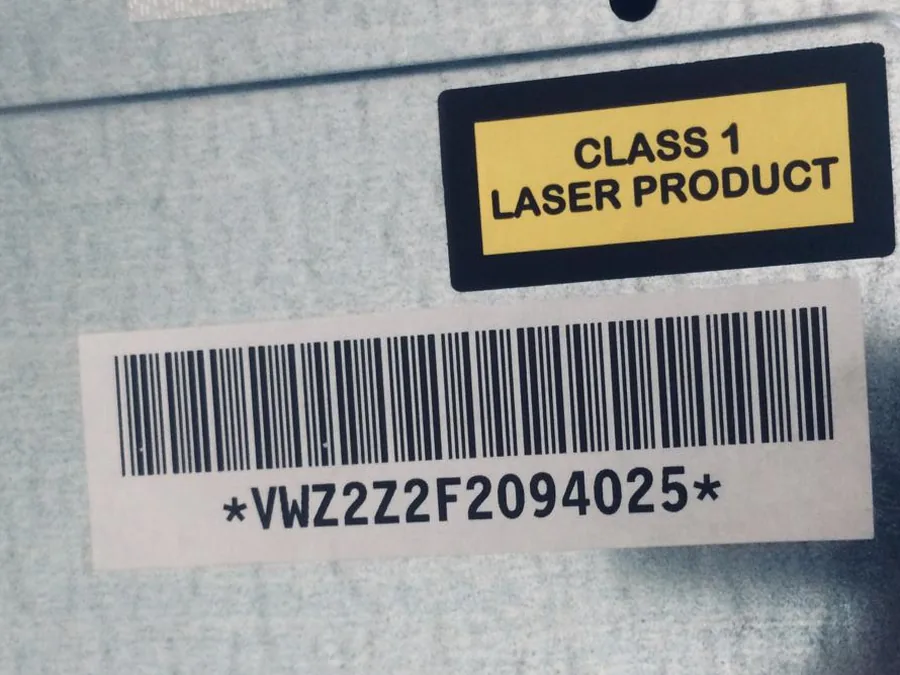
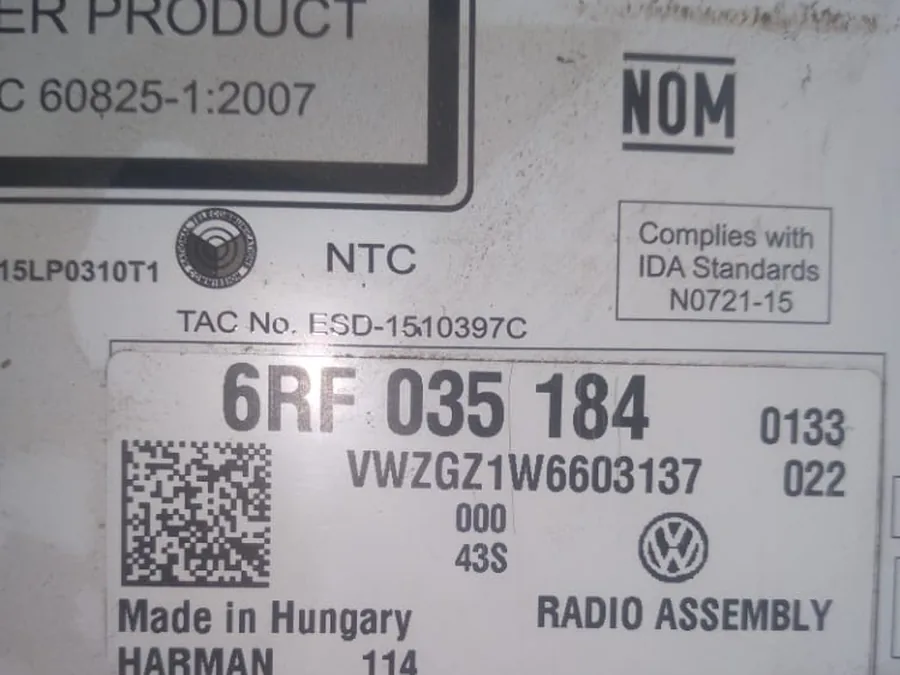
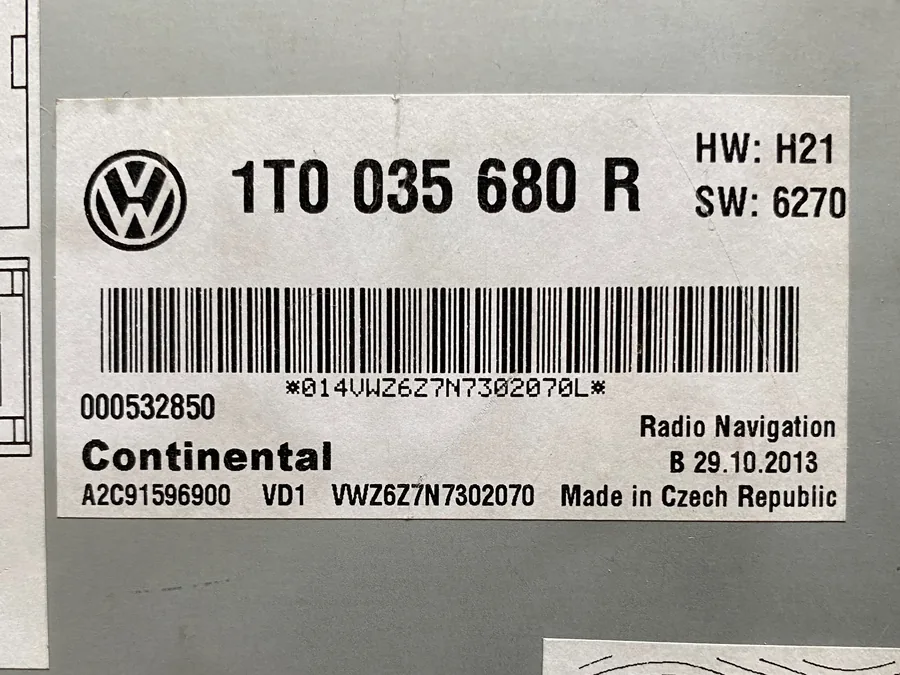
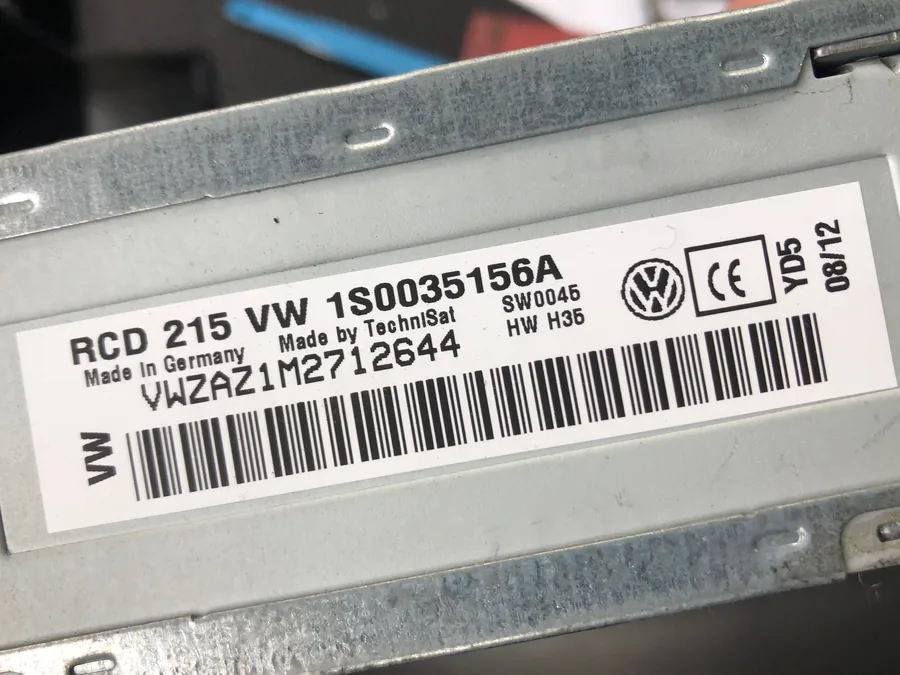
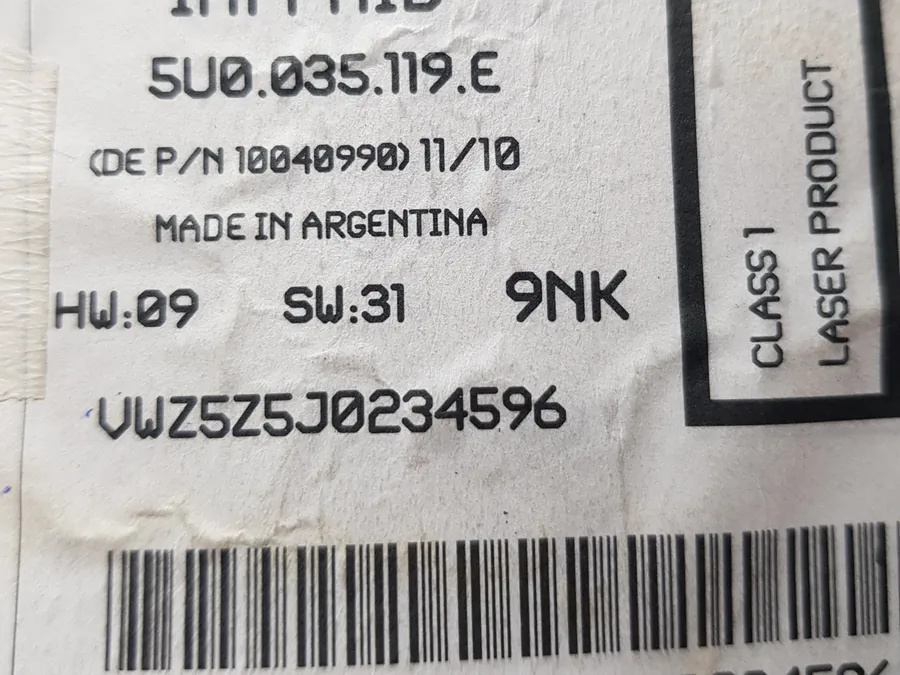
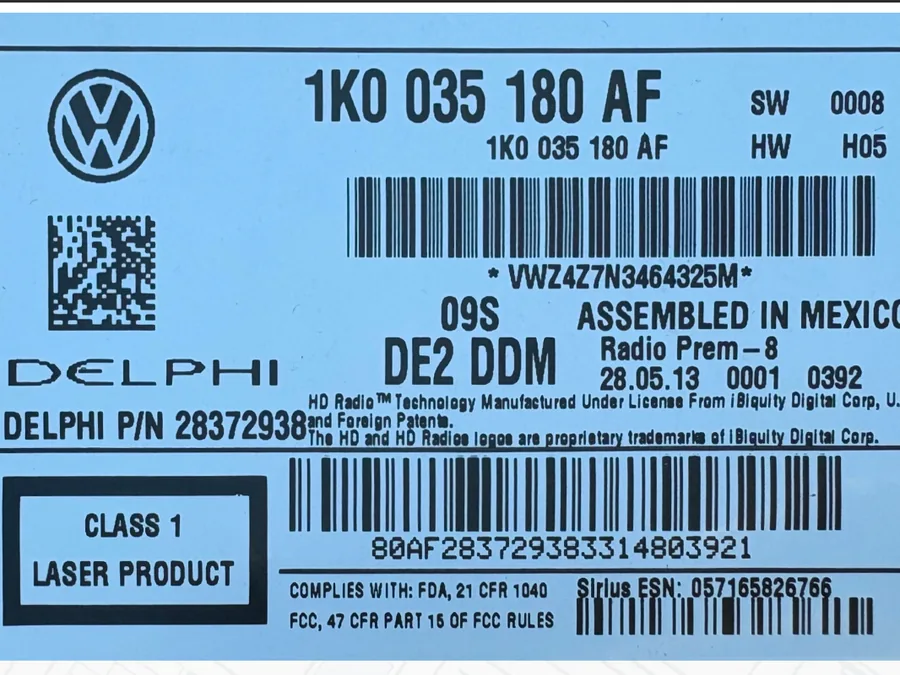
Six manufacturers, six layouts. The serial is always the 14 characters that start with VWZ, wherever they sit.

Serial number label on a Volkswagen Gamma / Beta (Grundig-built) radio
Gamma / Beta (Grundig-built)A lone barcode sticker on the case: VWZ2Z2F… between asterisks. No part number near it.
Serial number label on a Volkswagen RCD 310 (Harman, Hungary) radio
RCD 310 (Harman, Hungary)Part number 6RF 035 184 on the left, the serial VWZGZ1W… right under it.
Serial number label on a Volkswagen RNS 315 (Continental) radio
RNS 315 (Continental)Part number 1T0 035 680 R in large print; the serial VWZ6Z7N… in the small print at the bottom. The barcode adds 014 in front and a letter at the end, neither part of it.

How to get to the label

Volkswagen Gamma radio

Alpha, Beta, Gamma, Delta, R110

Held by spring clips. Push the flat release keys into the slots at the ends of the front panel until they click, then pull the radio towards you. Nothing to unplug.

Volkswagen RCD 310 radio

RCD and RNS units

Unclip the trim frame around the radio, undo the four screws in the corners and slide the unit forward. The RCD 200 uses release keys instead.

Volkswagen MFD 2 navigation

MFD, MFD 2, RNS 2

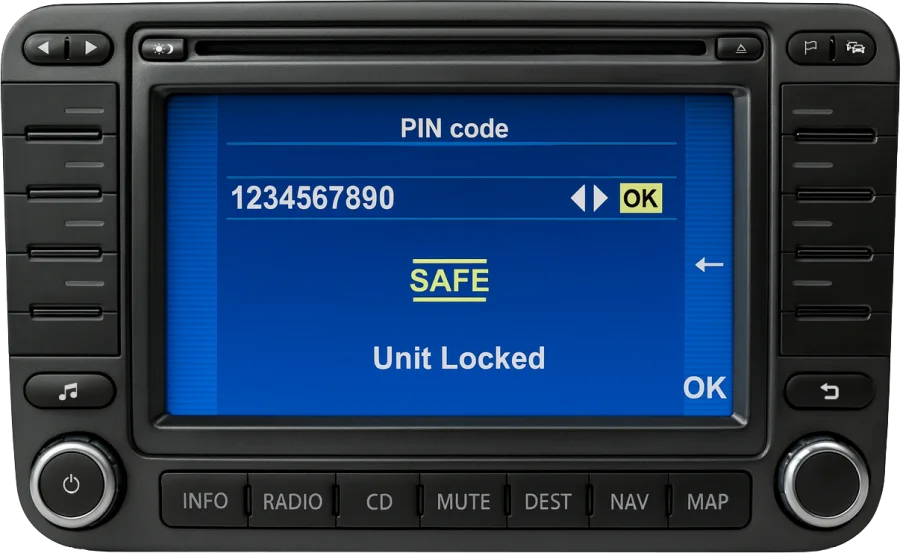
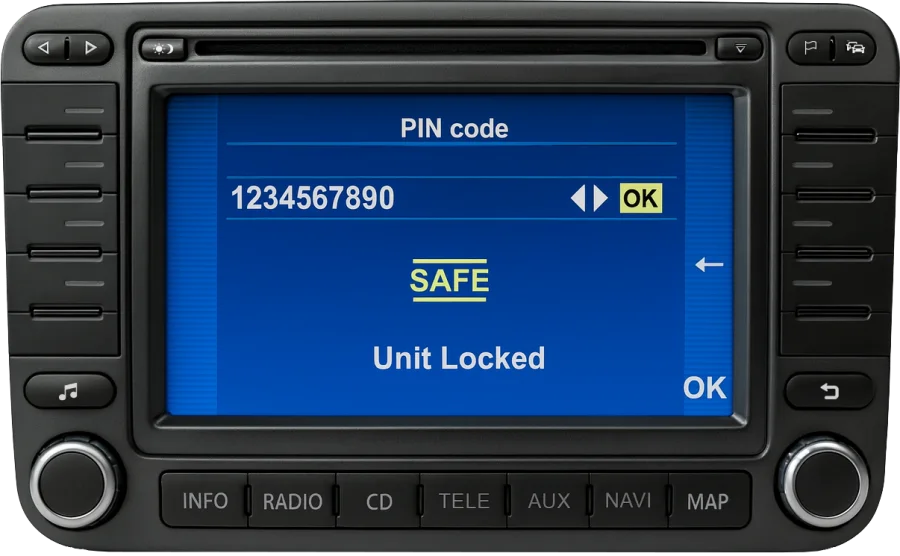
Same as the RCD units. The screen shows SAFE or PIN code while locked, never the serial, so the label is the only place to read it.

Navigation units are heavy: support them while you read the label. The wiring stays connected throughout.

Got the serial? Send it.

Type the 14 characters in the form, or photograph the label and let us read it, look-alikes included.

What the serial says about the unit

The fourth character of the serial stands for the company that built the unit. It changes nothing about how the code is entered, but it is a quick check that you copied the right number from the label: if it starts with anything other than VWZ, it is most likely the part number.

Serial starts with Built by
VWZ1Z… Blaupunkt
VWZ2Z… Grundig
VWZ4Z… Delphi
VWZ7Z… Visteon
VWZ8Z… Alpine
VWZAZ… TechniSat
VWZGZ… Harman
Is there a VW radio code list? No. Every unit has its own code; the "VW radio code lists" passed around online, as a PDF or by serial number, are the codes of other people's radios. Trying them costs you the two attempts the radio allows before it goes to 2 SAFE. What the serial does tell you is who built the unit, which is a quick check that you copied the right number.

Before you enter it

What SAFE, 1000, CODE and 2 SAFE mean

A locked Volkswagen radio has four things to say, and each one tells you what to do next. None of them means the radio is broken, and none of them changes the code: the code is tied to the serial number and stays the same for the life of the unit.

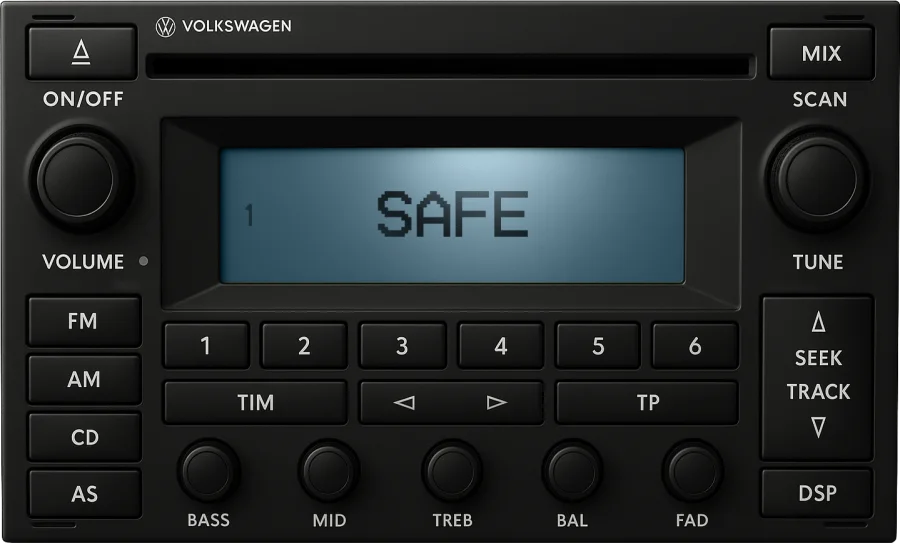
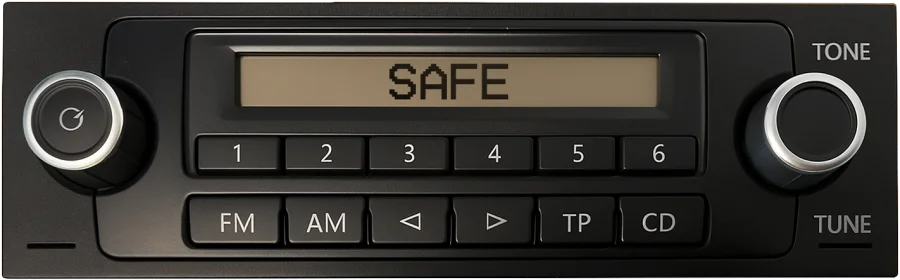
SAFE

Locked, waiting

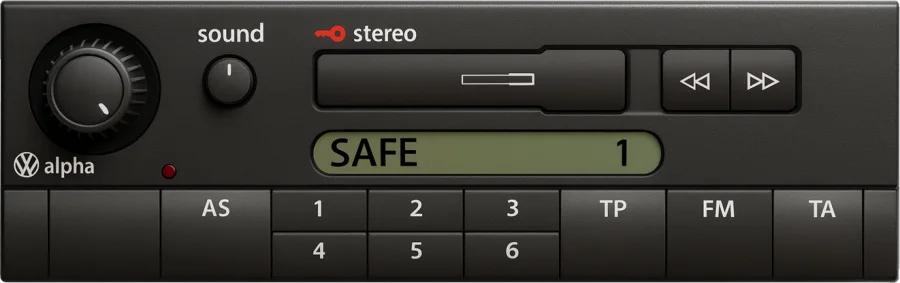
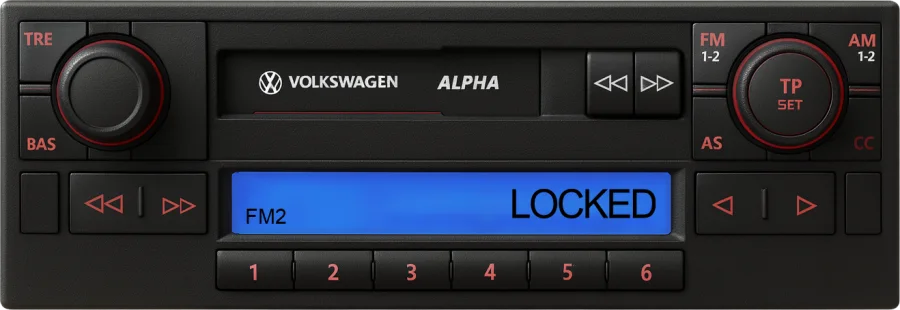
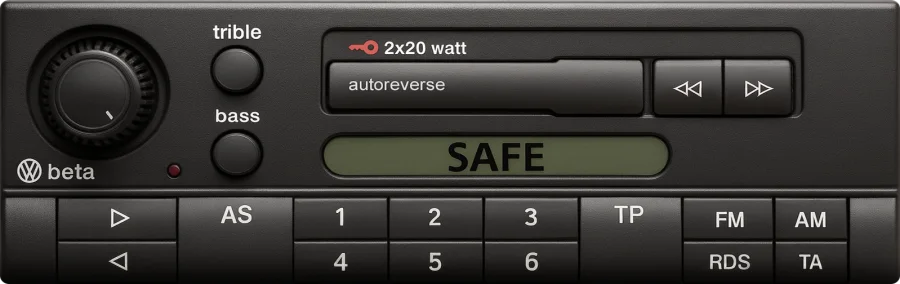
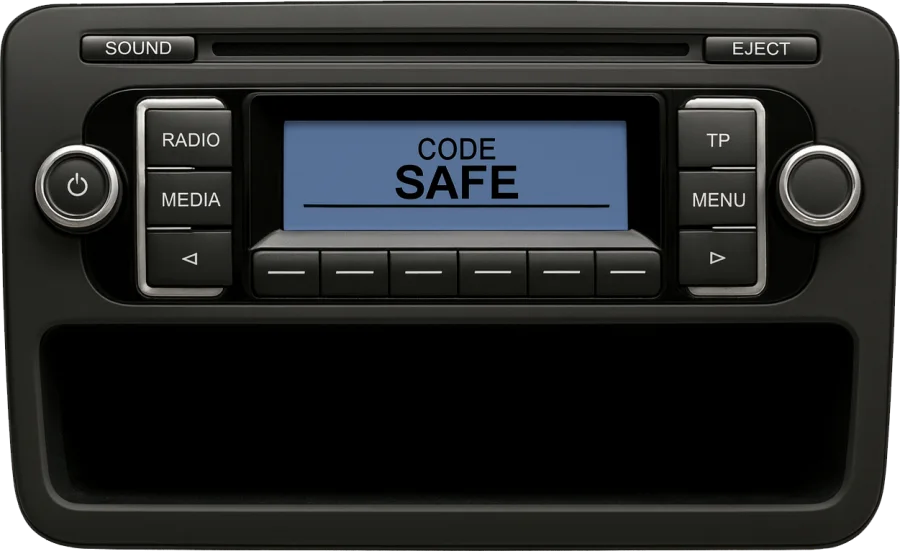
The radio lost power (flat or disconnected battery, a unit moved from another car) and wants its code. Leave it on: most units switch to 1000 by themselves within a few seconds.

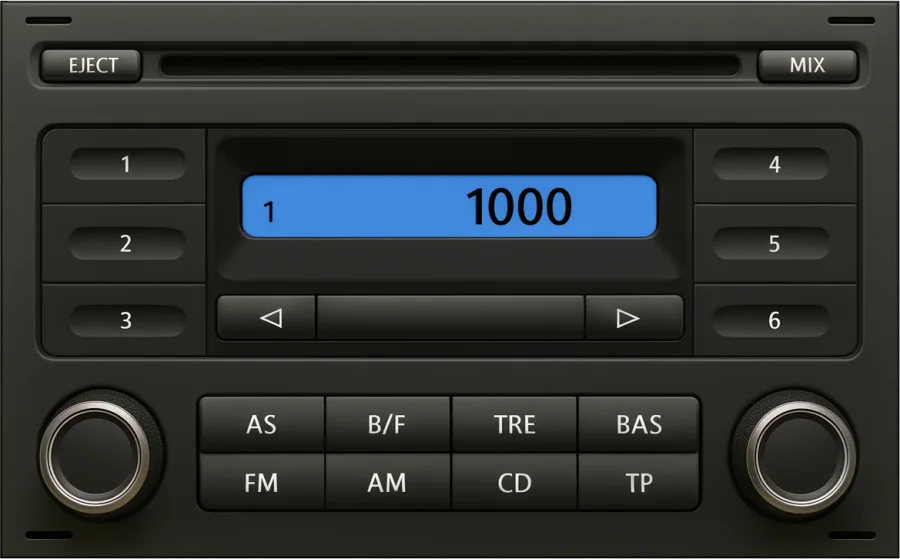
1000

Ready for the code

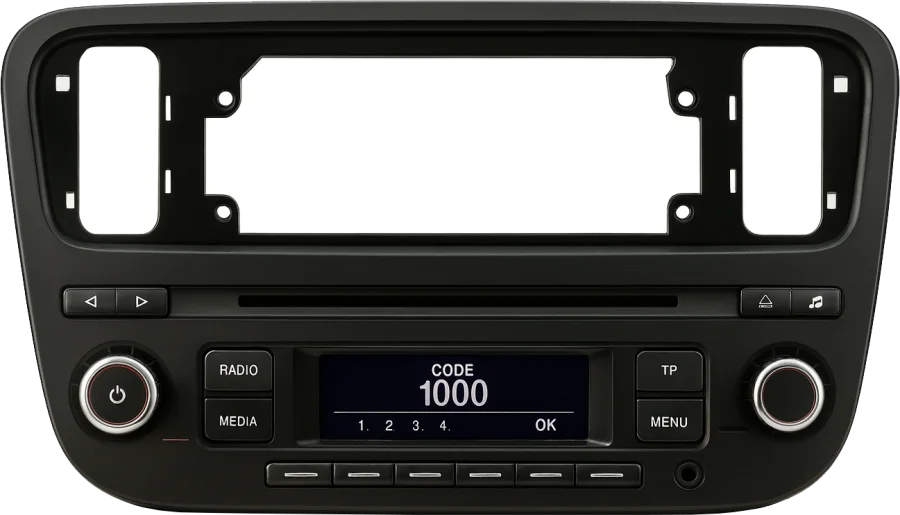
The entry screen of the button radios. Each digit starts at 1 (or 0) and goes up with every press of its preset button; see the steps.

CODE ▯▯▯▯

Ready, newer units

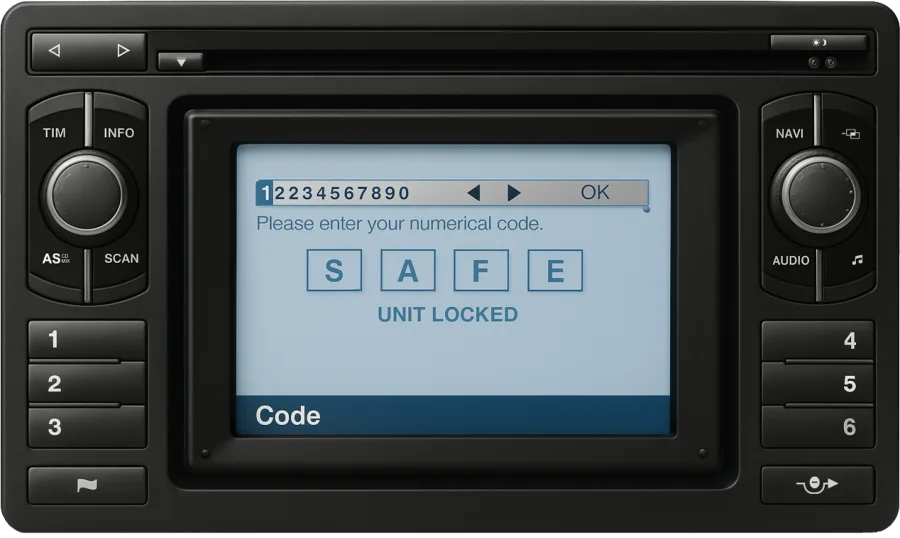
RCD 215, RCD 310 and the touchscreens show CODE, a keypad or a PIN prompt instead of 1000. Same code, same four digits, confirmed with OK.

2 SAFE

Blocked after two wrong tries

The radio will take nothing for about an hour. Leave it switched on with the key in the ignition and do not press any key; switching off restarts the wait. There is no reset without the code, and no button combination gets round it.

Not sure which radio you have?

Which Volkswagen radio do you have?

You do not need to know to get the code, the serial is enough. But Volkswagen named its radios by trim for a decade (Alpha, Beta, Gamma, Delta), then by family (RCD, RNS), and most units carry no name on the front, so if you want to know what is in the dash, find it below or start from the car. Each card says what the display reads while locked and links to the code-entry steps that apply. The RCD, RNS and Gamma families also have pages of their own.

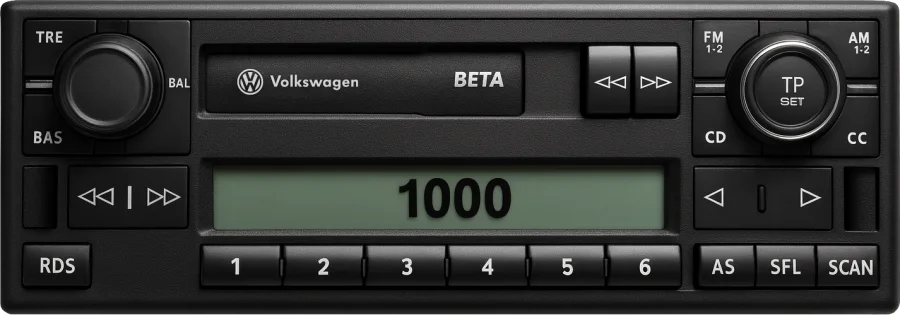
Volkswagen Beta radio (5th generation), 1999 – 2005 locked: 1000
5th generation

VW Beta

1999 – 2005

Fitted to: Golf IV, Bora, Polo (9N), Passat B5.5, Sharan, Transporter T4 / T5

Cassette with RDS and CD-changer control, the name on the flap. The radio most Golf IV left the factory with.

Volkswagen Gamma radio (5th generation), 1999 – 2004 locked: 1000
5th generation

VW Gamma

1999 – 2004

Fitted to: Golf IV, Bora, Passat B5 / B5.5, Polo (9N), Sharan, Transporter T4

One step above the Beta: cassette, RDS and the AS, SFL and SCAN keys in a row under the display.

Volkswagen RCD 210 radio, 2008 – 2013 locked: SAFE

VW RCD 210

2008 – 2013

Fitted to: Polo (6R), Golf VI, Caddy, Transporter T5

Compact double-height unit with an open tray underneath and six soft keys below the display.

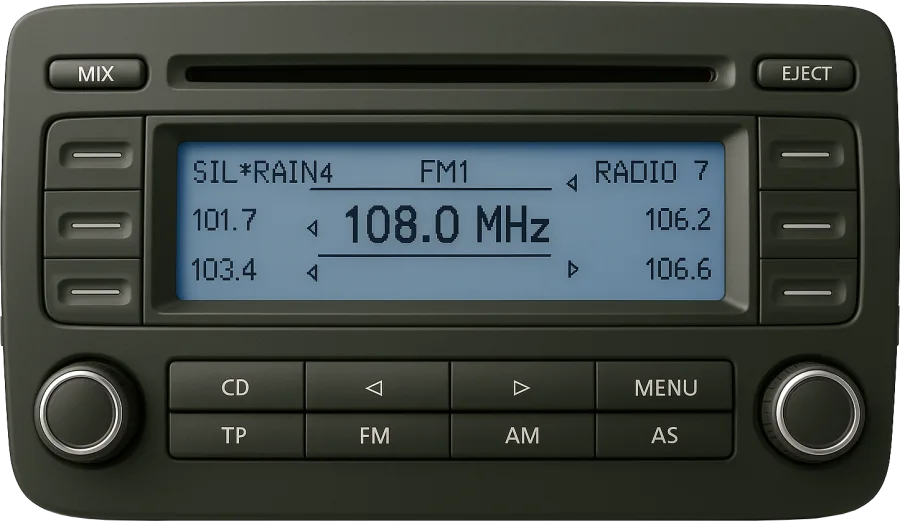
Volkswagen RCD 300 radio, 2003 – 2010 locked: 1000

VW RCD 300

2003 – 2010

Fitted to: Golf V, Jetta, Passat B6, Touran, Caddy, Eos

Wide red display framed by three soft keys on each side, CD / TP / FM / AM keys underneath.

Volkswagen RCD 310 radio, 2008 – 2014 locked: CODE

VW RCD 310

2008 – 2014

Fitted to: Golf VI, Polo (6R), Passat B6 / B7, Tiguan, Touran, Transporter T5

The RCD 300 reworked: RADIO, MEDIA, TP and MENU keys, and CODE 1000 with one marker per digit when locked.

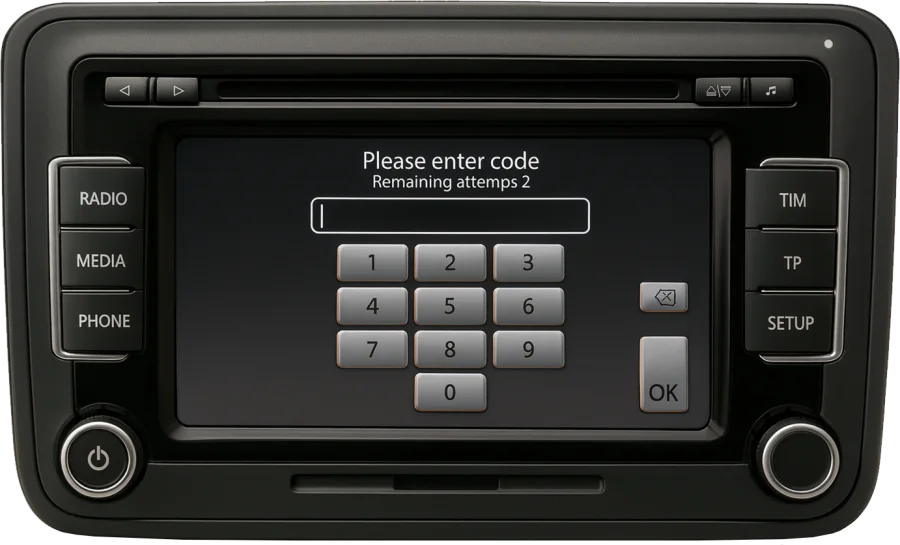
Volkswagen RCD 510 radio, 2008 – 2015 locked: keypad

VW RCD 510

2008 – 2015

Fitted to: Golf VI, Passat B6 / B7 / CC, Tiguan, Touran, Sharan, Scirocco, Transporter T5

Touchscreen with a six-disc changer behind the screen; the code goes in on a keypad that counts the tries left.

Volkswagen RNS 300 radio, 2006 – 2010 locked: SAFE

VW RNS 300

2006 – 2010

Fitted to: Golf V, Jetta, Passat B6, Touran, Eos

Blue display, one rotary knob in the middle and INFO / RADIO / CD / NAV / TRAFFIC / SETUP keys in a row.

Volkswagen RNS 315 radio, 2010 – 2015 locked: keypad

VW RNS 315

2010 – 2015

Fitted to: Golf VI, Polo (6R), Passat B7, Tiguan, Caddy, Transporter T5

The smaller touchscreen: RADIO, MEDIA and PHONE on the left, NAV, TRAFFIC and SETUP on the right.

Volkswagen RNS 510 radio, 2007 – 2015 locked: keypad

VW RNS 510

2007 – 2015

Fitted to: Golf V / VI, Passat B6 / B7 / CC, Tiguan, Touran, Sharan, Scirocco, Transporter T5

The big touchscreen with a hard drive and a DVD drive; RADIO, MEDIA, PHONE, TONE left, MAP, NAV, TRAFFIC, SETUP right.

Show all 24 radios → Not on the list? The Composition and Discover units fitted from 2012 onwards are paired to the car and unlock on their own after a battery change. If a unit asks for a code anyway, type its serial in the form and the answer comes straight back.

Or start from the car

Find your radio by Volkswagen model

The units each model was sold with, from the factory. Open a model line, then tap a radio to see its card above. A radio fitted later, or moved from another car, follows the unit, not the car, and the serial on its label still gives the code.

Looking for a Polo, Golf, Jetta, Passat, Beetle or Crafter radio code? It is the code of one of these units: find the model, then the radio.

Polo, Lupo, Fox and up!6 models
ModelYearsFactory radios
Lupo 1998 – 2005 Alpha 5 Beta 5 Gamma 5
Fox 2005 – 2011 RCD 200
up! 2011 – 2016 RCD 215
Polo 6N / 6N2 1994 – 2001 Alpha CC Alpha 5 Beta 4 Gamma 5
Polo 9N / 9N3 2001 – 2009 Beta 5 Gamma 5 RCD 200 RCD 300
Polo 6R 2009 – 2017 RCD 210 RCD 310 RNS 310 RNS 315
Golf, Jetta, Bora, Scirocco, Eos and Beetle5 models
ModelYearsFactory radios
Golf III, Vento 1991 – 1997 Alpha CC Beta 4 Gamma 5
Golf IV, Bora 1997 – 2005 Alpha 5 Beta 5 Gamma 5 Delta 6 RNS MCD MFD
Golf V, Jetta, Golf Plus 2003 – 2009 RCD 300 RNS 300 MFD 2 RNS 2 RNS 510
Golf VI, Scirocco, Eos 2008 – 2013 RCD 210 RCD 310 RCD 510 RNS 310 RNS 315 RNS 510
New Beetle 1998 – 2010 Beta 5 Gamma 5 RCD 300 Monsoon Premium 6 Premium 7
Passat, Touran, Sharan, Tiguan and Touareg6 models
ModelYearsFactory radios
Passat B5 / B5.5 1996 – 2005 Beta 4 Beta 5 Gamma 5 Delta 6 MFD MFD 2
Passat B6 / B7, CC 2005 – 2015 RCD 300 RCD 310 RCD 510 RNS 300 RNS 310 RNS 510
Touran 2003 – 2015 RCD 300 RCD 310 RCD 510 RNS 300 MFD 2 RNS 510
Sharan 1995 – 2010 Beta 5 Gamma 5 Delta 6 MFD
Tiguan 2007 – 2016 RCD 310 RCD 510 RNS 315 RNS 510
Touareg 2002 – 2010 MFD 2 RNS 2
Vans: Caddy, Transporter and Crafter4 models
ModelYearsFactory radios
Caddy 2004 – 2015 RCD 300 RCD 210 RCD 310 RNS 315
Transporter T4 1990 – 2003 Alpha 5 Beta 5 Gamma 5 MFD
Transporter T5 2003 – 2015 Beta 5 RCD 210 RCD 310 RCD 510 RNS 315 RNS 510 R110
Crafter 2006 – 2016 R110
North America1 row
ModelYearsFactory radios
Jetta, Golf, Rabbit, New Beetle, Passat (US / Canada) 1999 – 2010 Monsoon Premium 6 Premium 7

Step 3 · Enter the code

How to enter the code

On a radio with buttons the digits always go in the same way: button 1 sets the first digit, button 2 the second, and so on, each press adding one. What changes between units is how you confirm. Navigation units take the code on the screen or with the knob. Find your kind of unit below.

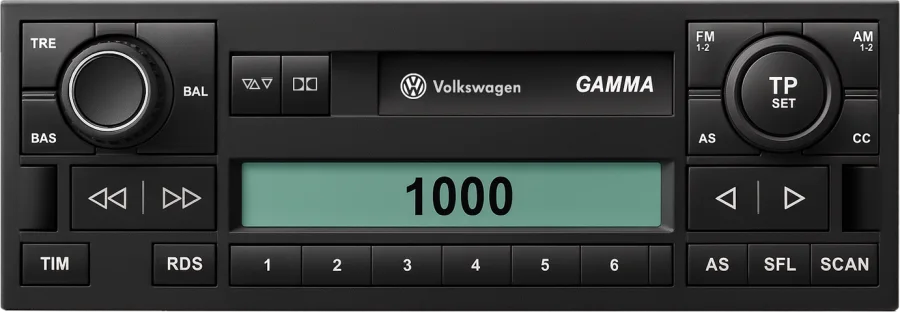
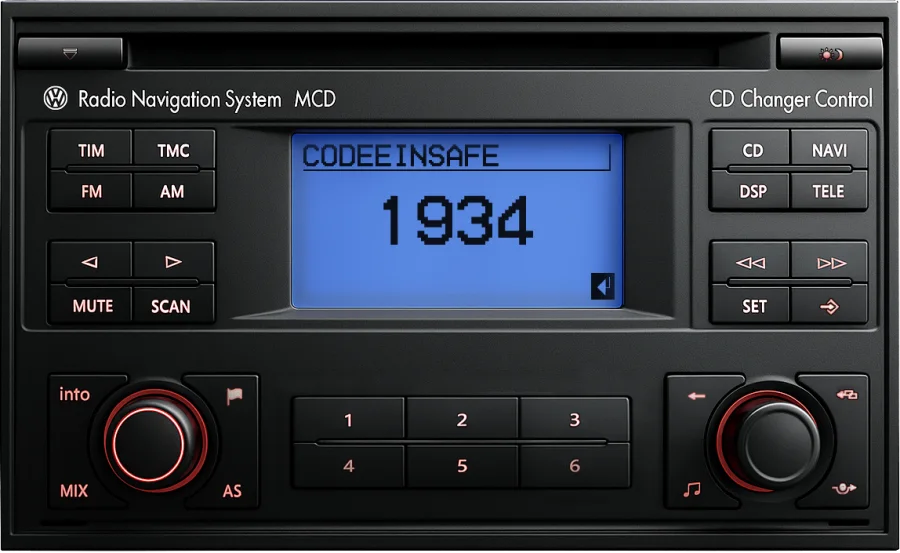
Volkswagen Gamma radio with 1000 on the display, ready for the code

Alpha, Beta, Gamma, Delta, R110, Monsoon and Premium 6

AlphaBetaGammaDeltaR110MonsoonPremium 6RNS MCD1994 – 2010
  1. Switch the radio on. The display reads SAFE and, a few seconds later, 1000. If it stays on SAFE, the radio is in its waiting period; see below.
  2. Press station button 1 until the first digit of your code shows. Each press adds one.
  3. Set the second, third and fourth digits with buttons 2 3 4 the same way.
  4. Hold the ▶ search button for a couple of seconds, until the radio beeps or starts playing. On some versions SCAN does the same job.

The RNS MCD shows CODE EIN instead of 1000; the digits go in with buttons 1 to 4 and the ▶ key confirms, exactly as above.

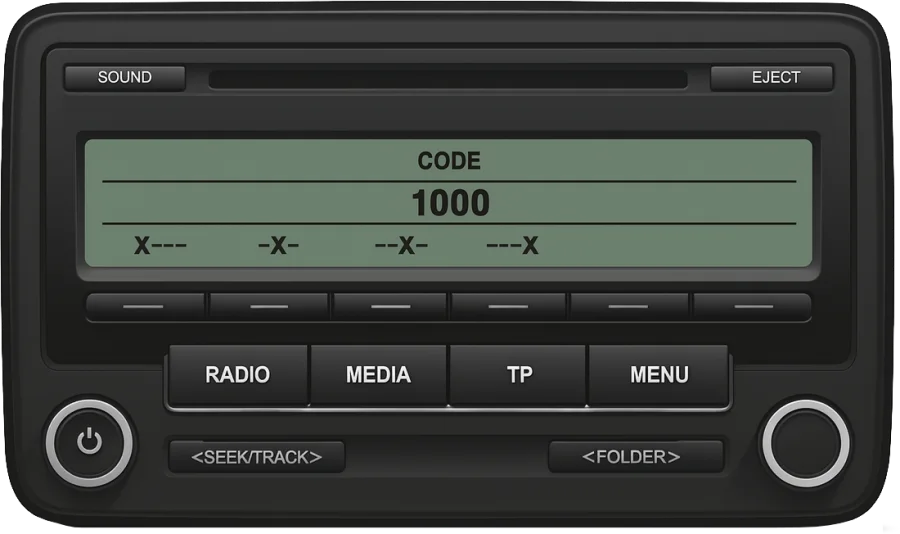
Volkswagen RCD 310 radio showing CODE 1000 with a marker for each digit

RCD 200, 210, 215, 300 and 310, Premium 7

RCD 200RCD 210RCD 215RCD 300RCD 310Premium 72003 – 2016
  1. Switch the radio on and wait for 1000 on the display, on newer units under the word CODE with one marker per digit.
  2. Press station button 1 until the first digit of your code shows.
  3. Do the same with buttons 2 3 4 for the other three digits.
  4. Confirm by holding the ▶ button for a couple of seconds. If the display offers an OK or an arrow soft key instead, use that one.
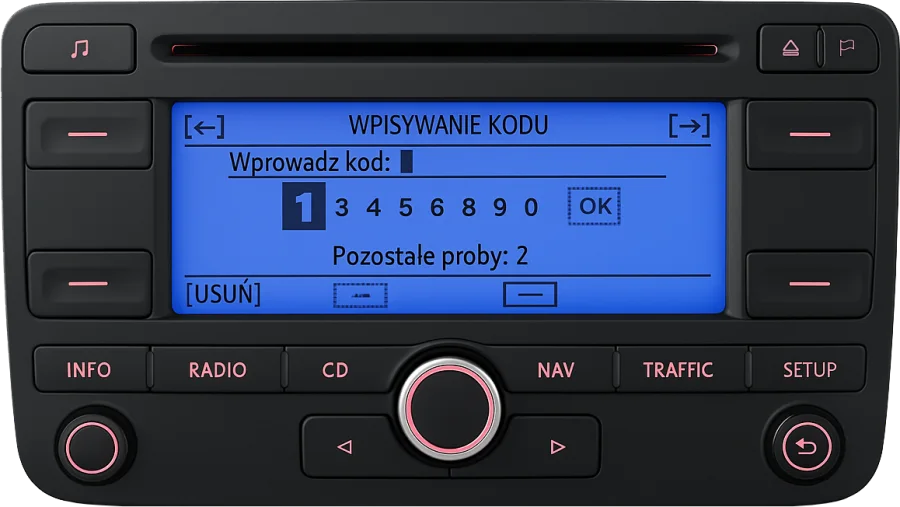
Volkswagen RNS 510 navigation showing the code keypad and the attempts left

RCD 510, RNS 310, RNS 315 and RNS 510

RCD 510RNS 310RNS 315RNS 5102007 – 2015
  1. Switch the unit on. The keypad appears by itself, with the number of attempts left above it.
  2. Touch the four digits of your code. The delete key removes the last one.
  3. Touch OK. The radio or the map comes back.
Volkswagen RNS 300 navigation showing the row of digits to pick the code from

RNS 300, MFD, MFD 2 and RNS 2

RNS 300MFDMFD 2RNS 21999 – 2010
  1. Switch the unit on. The screen shows the row 1234567890 and OK; the MFD units say SAFE or PIN code above it.
  2. Turn the rotary knob to move along the row and press it to pick a digit. Do this for all four digits.
  3. Move to OK and press the knob. The unit restarts into the radio or the map.
SAFE will not go away, or the display reads 2 SAFE? Every VW radio allows two attempts. After the second wrong code it blocks itself for about an hour: leave it switched on, with the key in the ignition, and do not press anything until 1000 or the keypad comes back. Switching it off restarts the wait, and every further wrong attempt doubles it, so take the digits from the email rather than from memory.

Can I get my VW radio code for free?

Sometimes, and it is worth ten minutes of looking before you pay anyone. Volkswagen wrote the code on a radio card tucked into the service wallet, and many dealers added a sticker to the inside cover of the owner's manual or to the glovebox lid. If the car still has its first set of papers, the code is probably there.

A Volkswagen dealer can read out the code of the radio the car was built with, from the VIN and proof of ownership. Some do it for free, most charge, and none can help with a radio that came from another car. Volkswagen customer service in your country does the same by phone.

Our service is for the radio in front of you, whatever car it came from and however many owners ago the card was lost. You see the price before you decide, and the code is for your serial, not from a list.

Why does a VW radio ask for a code?

Every factory radio Volkswagen fitted from the early 1990s carries a four-digit anti-theft code, set at the factory and tied to the unit's serial number. The radio locks itself whenever its power is cut: a flat or disconnected battery, a replaced alternator, a unit moved to another car. On switching back on it displays SAFE, 1000 or CODE and waits.

The code never changes and does not depend on the car, which is why it can be retrieved from the serial alone. Many RCD and RNS units recognise the car they were fitted to and unlock on their own after a battery change; they ask for the code when they are moved to another car, which is why second-hand units are the usual case.

VW radio codes by radio family

If you already know which unit is in the dashboard, its own page goes deeper: every version with pictures, what it shows while locked and how the code goes in.

Volkswagen RCD 310 radio

RCD radios

RCD 200, 210, 215, 300, 310 and 510.

RCD code →
Volkswagen RNS 510 navigation

RNS navigation

RNS 300, 310, 315 and 510, and the older MFD and MCD units.

RNS code →
Volkswagen Gamma radio

Gamma

The cassette radio of the late 1990s and early 2000s, with the Alpha and the Beta.

Gamma code →

VW radio code questions

The price and the delivery time are shown as soon as the serial is identified, before you pay. Most Volkswagen codes are back within a couple of hours during working hours, Monday to Saturday; the order page refreshes on its own and the code also arrives by email. You pay by card, Apple Pay or Google Pay, and if the code does not unlock your radio you get the money back.
Not in the sense of a formula you could run yourself: the code is not printed anywhere on the unit and cannot be worked out by hand. It is looked up for one serial number at a time, from the records of the manufacturer that built the radio. Pages that call themselves a generator or a calculator do the same thing as the form above, or hand you someone else's codes.
No. "Car stereo code", "radio code", "safe code" and "PIN" all mean the same four digits, set at the factory for that one unit. Volkswagen calls it the anti-theft code; the radio card calls it the code number. Whatever the name, it comes from the VWZ serial on the label.
The radio has refused two codes in a row and is blocked for about an hour. It cannot be reset without the code: no key combination, no fuse pull and no battery disconnection shortens the wait, and switching the radio off makes it start again. Leave it on with the key in the ignition, and when 1000 or the keypad returns, enter the right code once.
Only a Volkswagen dealer can, and only for the radio the car left the factory with. The code belongs to the radio, and a radio can end up in any car, which is why we work from the serial on its label. If the unit is second-hand, the serial is the only way.
No list fits your radio. Each unit has its own code; what the serial tells you is who built the radio (Blaupunkt, Grundig, Delphi…), see the table above, not the code. Lists found online are other people's codes, and trying them costs you the two attempts the radio allows.
A serial that starts with SKZ, SEZ or AUZ belongs to a radio from a Skoda, Seat or Audi; pick that brand on the home page and the same form takes it. BP followed by digits is a Blaupunkt aftermarket unit, which has its own page. A radio from another make fitted to a Volkswagen follows that make, not the car.
Yes. The code belongs to the radio, not to the car, so a second-hand RCD, RNS or Gamma unlocks with the code for its own serial. On the newest units the car may additionally show a component-protection message, which a dealer clears with online diagnostics; the code itself does not change.
Only far enough to read the label. Alpha, Beta, Gamma and Delta come out with the flat release keys; RCD and RNS units after the trim frame and four screws. The wiring stays connected. If the radio card from the service wallet is still around, the serial is printed on it too, and the code next to it.

Get your code using our app

Get the app Google Play
← Back to models

Reviews

Explore our reviews, or feel free to leave your own.

Reviews and ratings

4.5
rating stars green
rating stars disabled

Based on 578 ratings

Famous 07 Nov 2026
rating stars green
rating stars grey

Swift and simple a little pricey but I don’t know the full dynamics behind the price and how it’s done so will give the benefit of doubt. However, swift response and does what they say on the tin…..for a price of course ????

Jarno 26 Oct 2026
rating stars green
rating stars grey

Thanks! It works!

Ronny 23 Oct 2026
rating stars green
rating stars grey

It was like magic ???? I didn’t believe it till it actually worked

Jose Oliveira 22 Oct 2026
rating stars green
rating stars grey

CODIGO RECEBIDO COM SUCESSO

Raj 16 Oct 2026
rating stars green
rating stars grey

The code did not work, send emails no response, how do we get a refund. No response received as yet.

спасибо 13 Oct 2026
rating stars green
rating stars grey

спасибо всё чотко работает

Emrah Karagöz 13 Oct 2026
rating stars green
rating stars grey

İlk başta terettüp ettim kodun gelmesi geç oldu ama geldi emeği geçenlere teşekkür ederim

Orhan yigit 05 Oct 2026
rating stars green
rating stars grey

Thank you very much

Wilhelm 28 Sep 2026
rating stars green
rating stars grey

Really easy. Paid, waited around 27 hours and received it in my email. Tested it and it worked.

Ewelina 24 Sep 2026
rating stars green
rating stars grey

Super, radio działa

Argis troplini 22 Sep 2026
rating stars green
rating stars grey

e pagukta kodin e karit edhe me sollen nje kod qe se hapte radion shum i zhgenjym me moren e leket robqirat

Zavailadanga 21 Sep 2026
rating stars green
rating stars grey

merge codu e blana rau saitu

Nikola 27 Aug 2026
rating stars green
rating stars grey

The code not working

Tomauto 26 Aug 2026
rating stars green
rating stars grey

Good afternoon! Today I sent you a code to decode the radio, but you did not send it to me.

Mikebird1971 15 Aug 2026
rating stars green
rating stars grey

Excellent exactly what I ordered would definitely recommend these guys five star rating thanks

Mrwooks 03 Jun 2026
rating stars green
rating stars grey

Very surprisingly this worked! I went into it thinking it was a scam but willing to take the chance and the code actually worked!!

Jason 14 May 2026
rating stars green
rating stars grey

Absolutely amazing thank you so much

John 28 Apr 2026
rating stars green
rating stars grey

I received the code for a price and then it did not work, the company said the radio re coded itself? NOT IMPRESSED

Gosa 16 Apr 2026
rating stars green
rating stars grey

Thank you, I am very satisfied with the service. Once again, thank you for your cooperation

Simon 31 Mar 2026
rating stars green
rating stars grey

Was nervous and hesitant to start with as I found the link from a social platform I was nervous about payments. My faith has been restored. Everything was good and my Radio code was delivered same day thank you.

Troy 30 Mar 2026
rating stars green
rating stars grey

Site says codes sent in one hour, over 48 hours later I got the code and its wrong. Asked for an updated code, sent photos of the S/N which matched what I initially sent and no reply.

PTy 28 Mar 2026
rating stars green
rating stars grey

Perskuta, sehän toimii.Hetken epäilin. Hienoa, kiitti

David 16 Mar 2026
rating stars green
rating stars grey

It works! And, it took a bit longer than advertised. Overall happy with the service.

James 15 Mar 2026
rating stars green
rating stars grey

Not free. Says it found it but then wanted me to pay

Gabriel 09 Mar 2026
rating stars green
rating stars grey

Best company for radio codes

Ionut Vasilasi 09 Mar 2026
rating stars green
rating stars grey

Nu am primit codul

Tina 22 Feb 2026
rating stars green
rating stars grey

No code received

Jerren Griffin 19 Feb 2026
rating stars green
rating stars grey

Takes to long to get the code so it’s trash

Domantas 14 Feb 2026
rating stars green
rating stars grey

Not good i payed another of radiocode my bank got minus but i not giving in email nothing.

Tcheubegna T. 05 Feb 2026
rating stars green
rating stars grey

Still waiting for radio code

Sihle 26 Jan 2026
rating stars green
rating stars grey

I’ve been waiting for my code since Saturday

Caleb 12 Jan 2026
rating stars green
rating stars grey

Need code asap please

Amanda Tompkins 10 Jan 2026
rating stars green
rating stars grey

Great service code worked no problem

Hyusein 18 Dec 2025
rating stars green
rating stars grey

Not that fast but excellent service