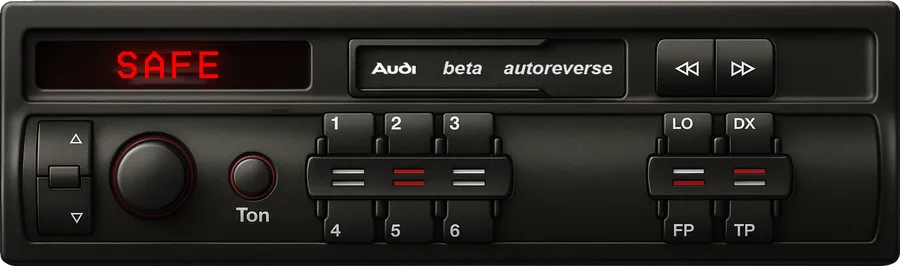
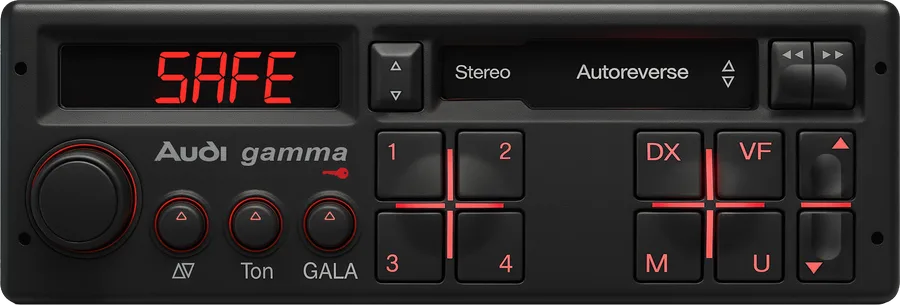
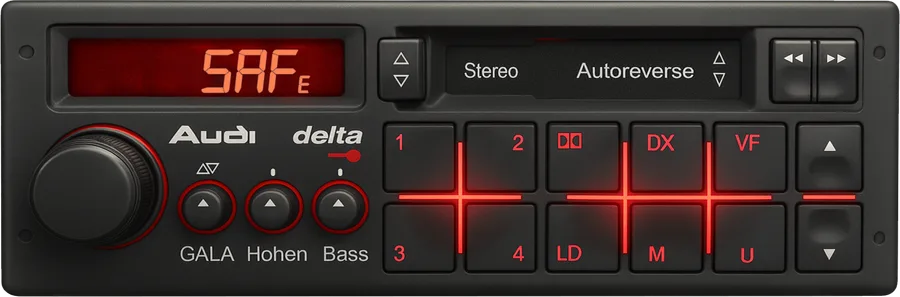
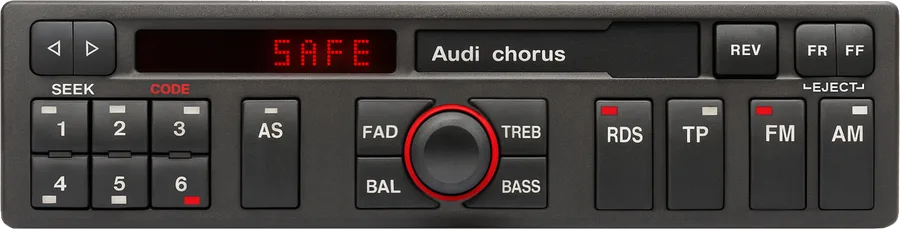
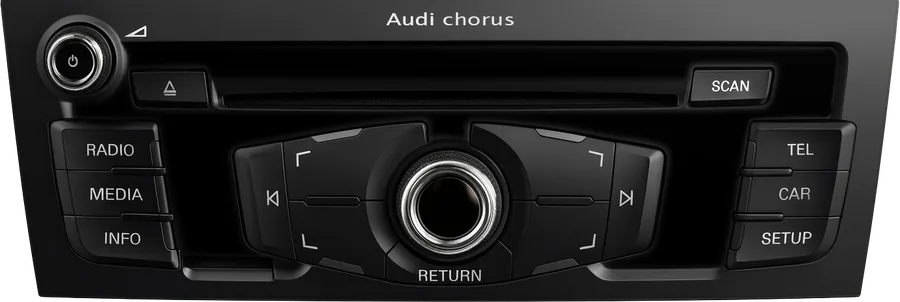
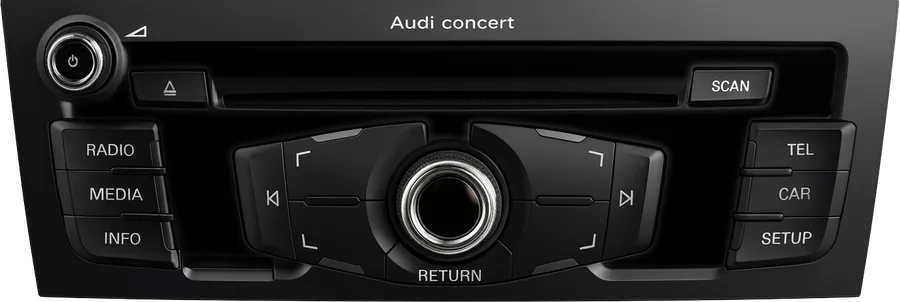
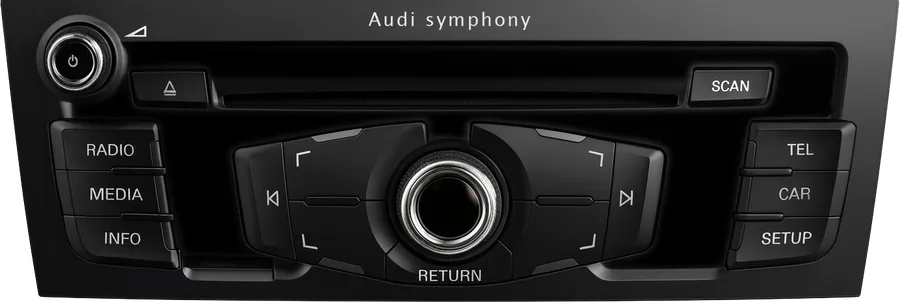
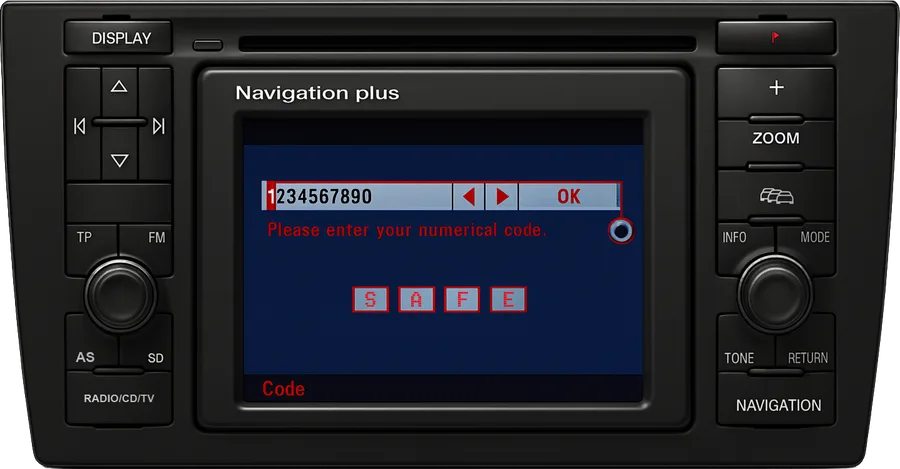
Chorus · Concert · Symphony · Gamma · Delta · RNS

Audi radio code from the serial number

Your Audi radio shows SAFE? Type the AUZ serial from its label, or scan the label with your phone, and we retrieve the original factory code for that exact unit.

  • Every Audi radio since 1991: Gamma and Delta cassettes, Chorus, Concert and Symphony of all generations, navigation units.
  • Price and delivery time shown before you pay. No account, no survey.
  • Money back if the code does not unlock your radio.
Super fast radio code delivery!

Three steps to a working radio

The code is calculated from the serial number printed on the radio, not from the car. Once you have the serial, the rest takes minutes.

1

Find the AUZ serial

On the label of the radio case, or on the PIN screen of a navigation unit. Where exactly.

2

Type it or scan it

We identify the unit and show you the price and delivery time. Pay by card, Apple Pay or Google Pay.

3

Enter the code

Four digits, keyed in with the preset buttons or the knob. Steps for every generation.

Which Audi radio do you have?

Audi fitted the same families of head units across its range for twenty-five years, so the name on the face tells you little without the generation. Find your unit below to see the years, the cars it came in and the code-entry steps that apply to it.

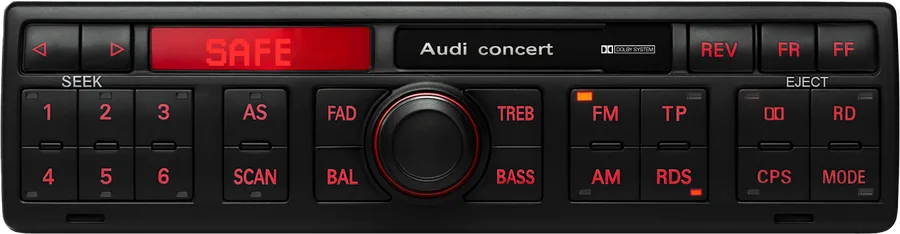
Audi Concert radio
1st generation

Audi Concert

1997 – 2001

Fitted to: A3 (8L), A4 (B5), A6 (C5), A8 (D2), TT (8N)

Single CD. Six presets under the display, TP / SCAN / RDS keys on the right.

How to enter the code →
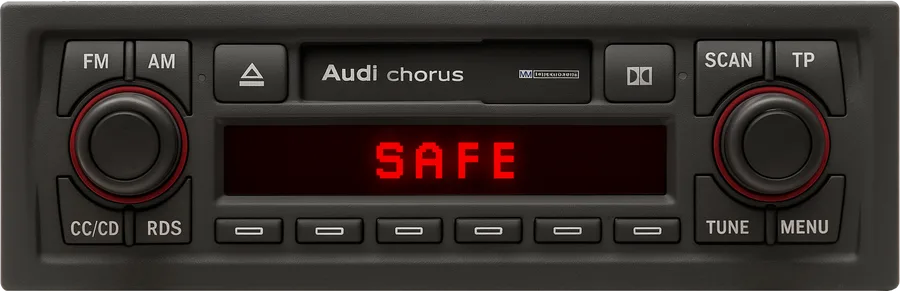
Audi Chorus II radio
2nd generation

Audi Chorus II

2001 – 2005

Fitted to: A2, A3 (8L), A4 (B6), A6 (C5)

Cassette (CC) or CD. FM / AM / CC·CD / RDS / SCAN / TP / TUNE / MENU keys in two rows.

How to enter the code →
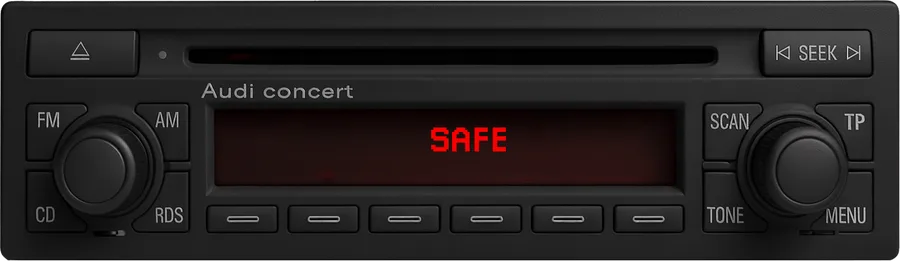
Audi Concert II radio
2nd generation

Audi Concert II

2001 – 2005

Fitted to: A2, A3 (8L), A4 (B6), A6 (C5), allroad, TT (8N)

Single CD, slim face. Keys in one row: FM / AM / CD / SCAN / TP.

How to enter the code →
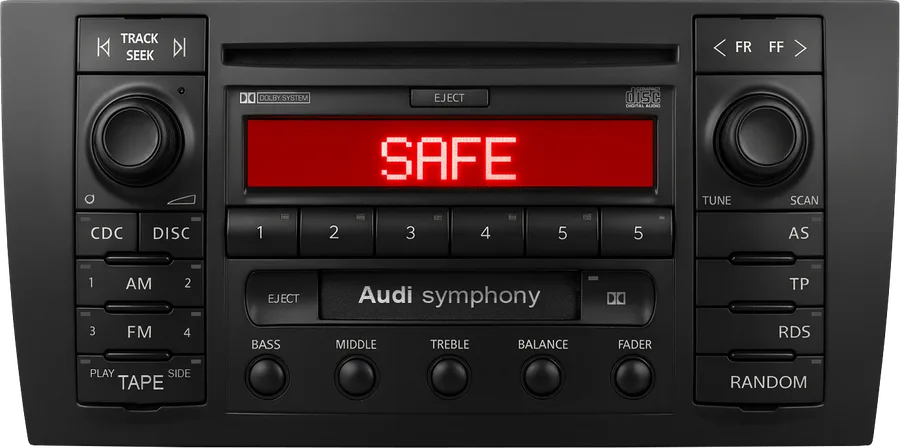
Audi Symphony II radio
2nd generation

Audi Symphony II

2001 – 2005

Fitted to: A4 (B6), A6 (C5), allroad, TT (8N)

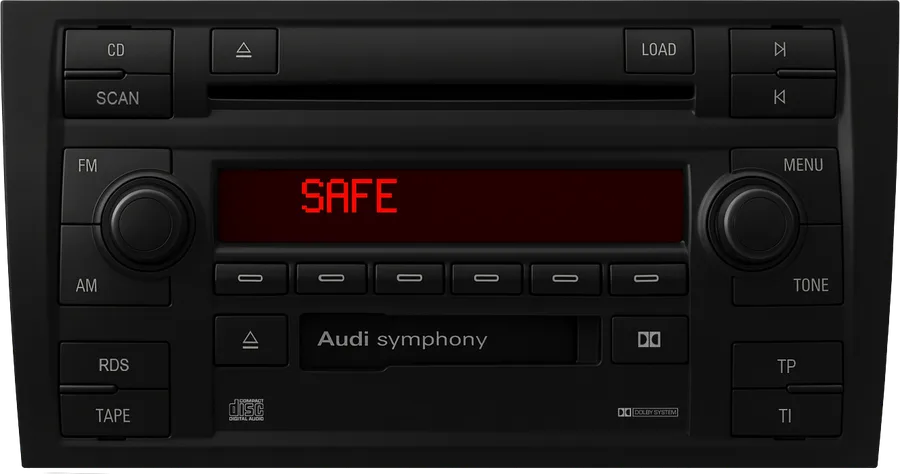
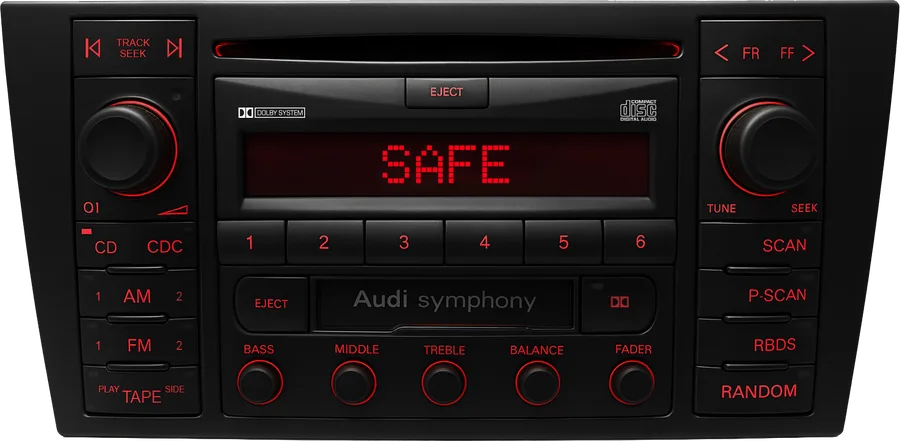
Double-height with cassette and CD. This is the Panasonic-built face.

How to enter the code →
Audi Chorus II+ radio
2nd generation plus

Audi Chorus II+

2004 – 2008

Fitted to: A3 (8P), A4 (B7), A6 (C6), TT (8J)

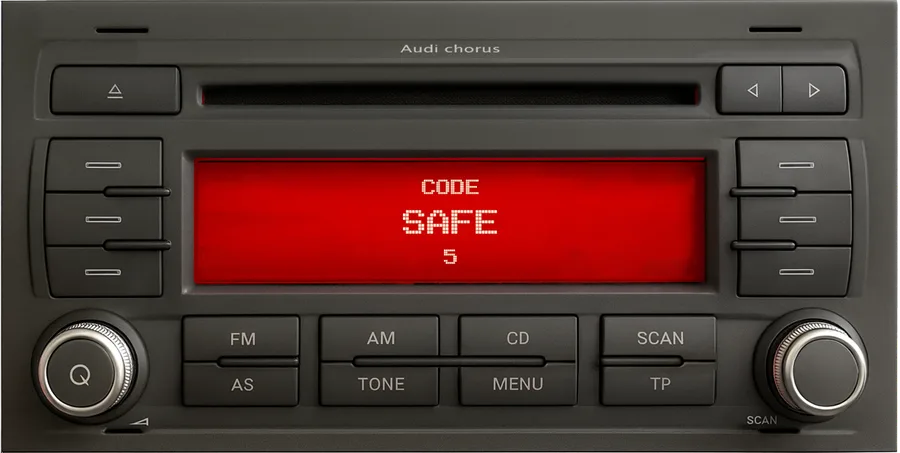
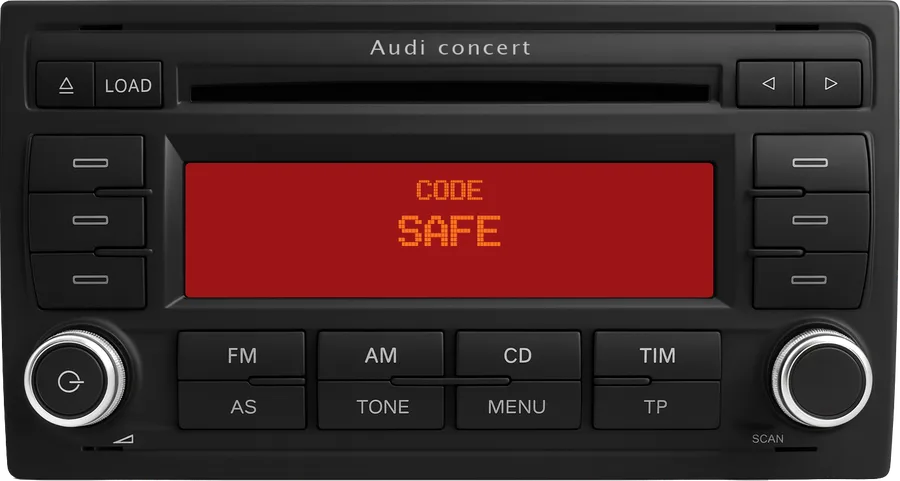
Red dot-matrix display reading CODE / SAFE, knob on the left, FM / AM / CD / TP keys.

How to enter the code →
Audi Concert II+ radio
2nd generation plus

Audi Concert II+

2004 – 2008

Fitted to: A3 (8P), A4 (B7), A6 (C6), Q7, TT (8J)

FM / AM / CD / TIM and AS / TONE / MENU / TP keys under a red display; knob marked SCAN on the right.

How to enter the code →
Audi Symphony II+ radio
2nd generation plus

Audi Symphony II+

2004 – 2008

Fitted to: A3 (8P), A4 (B7), A6 (C6), TT (8J)

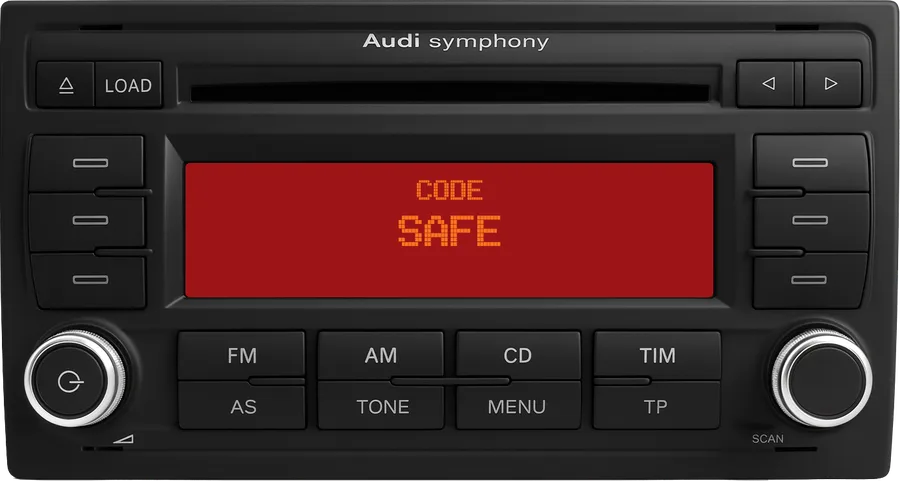
Six-CD changer behind the flap; the same key layout as the Concert II+.

How to enter the code →
Audi Concert radio
3rd generation

Audi Concert

2008 – 2016

Fitted to: A4 (B8), A5, Q5, A1 (8X), A6 (C7), A7, Q3

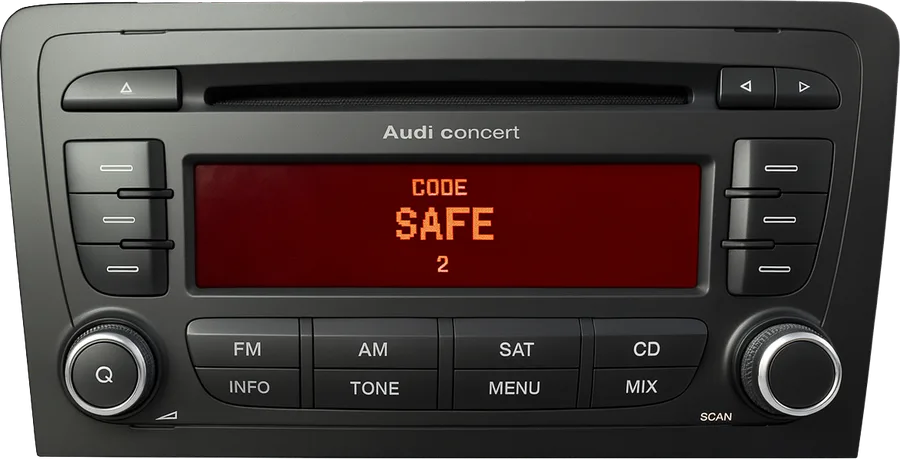
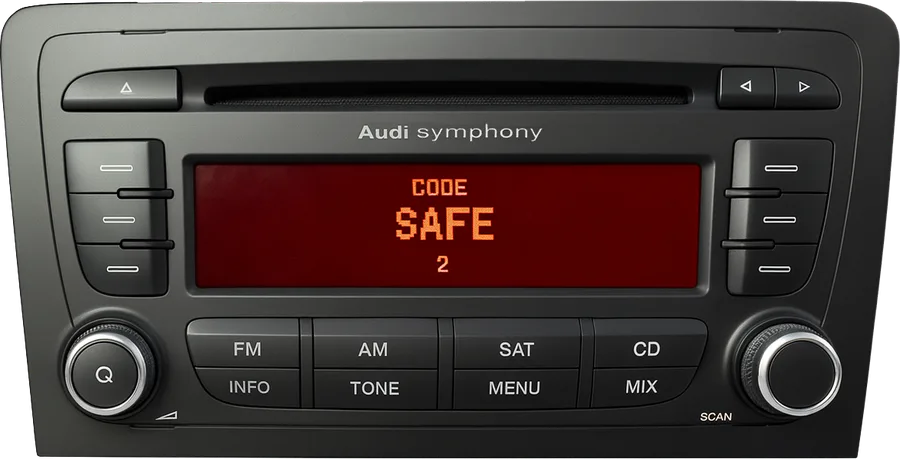
Single CD and a colour display in the dash; same controls as the Chorus.

How to enter the code →
Audi RNS-E Navigation Plus radio

Audi RNS-E Navigation Plus

2005 – 2015

Fitted to: A3 (8P), A4 (B6 / B7), TT (8J), R8, Seat Exeo

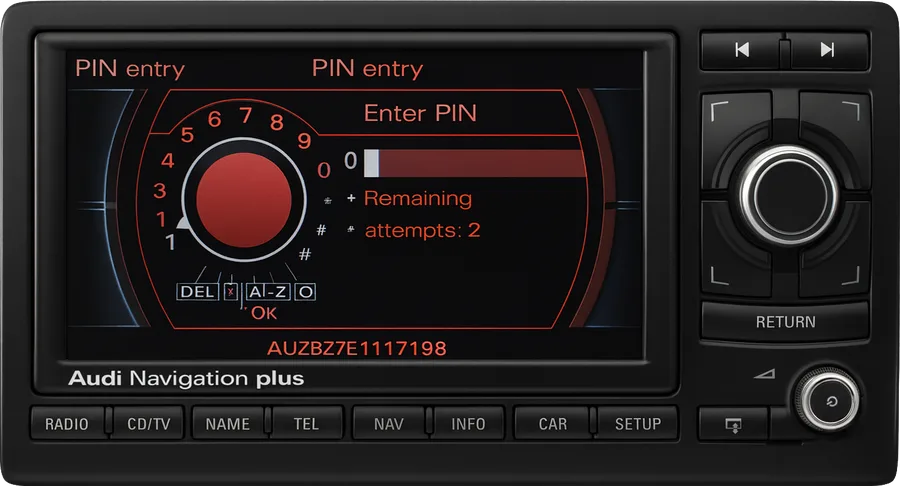
6.5-inch screen, DVD maps. The PIN screen shows the serial (AUZBZ7…), so it never has to come out.

How to enter the code →

Show all 26 radios → Not on the list? Audi also sold MMI 2G, 3G and the later MIB systems, which keep the code in the car and unlock on their own. If a unit asks for a code anyway, type its serial in the form and the answer comes straight back.

Audi Chorus radio label with the AUZ serial number highlighted

The label of a Grundig-built Chorus: part number 8E0 035 152, the serial on the right.

Where is the serial number?

Every Audi radio carries a 14-character serial that starts with AUZ. It is printed on the label stuck to the top or the side of the metal case, next to the part number and the barcode.

AUZ2Z2B2046562

  • Chorus, Concert, Symphony, Gamma, Delta: the radio has to come part-way out of the dash. Slide four radio release keys into the slots at the corners of the face until they click, then pull the unit towards you. The label is on the top or the right-hand side.
  • RNS-E and Navigation BNS 5.0: no need to remove anything. The serial is written at the bottom of the PIN entry screen, in the form AUZBZ7…
  • Third-generation Chorus, Concert and Symphony (2008 onwards): the label is on the unit behind the dash. If the radio still works, the serial can also be read with a diagnostic tool from the radio module.

Rather than typing, use the Scan tab of the form and take a photo of the label; we read the serial off the picture.

How to enter the code

The digits are always entered the same way: button 1 sets the first digit, button 2 the second, and so on, each press adding one. What changes between generations is how you open the code screen and how you confirm. Find your generation below.

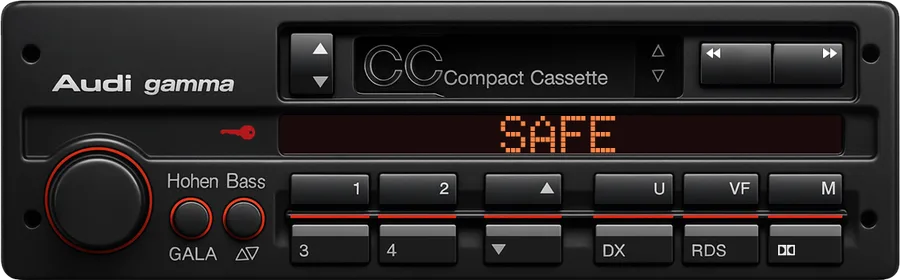
Audi Gamma 3 cassette radio showing SAFE

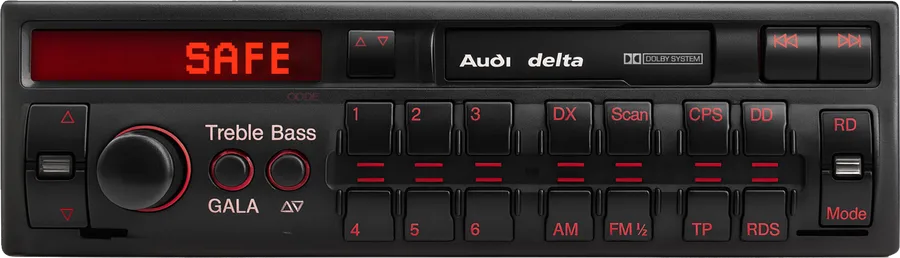
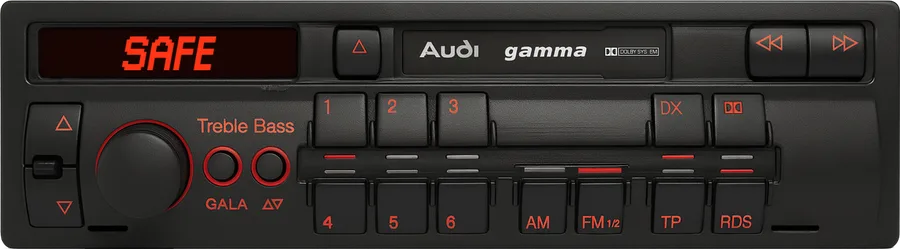
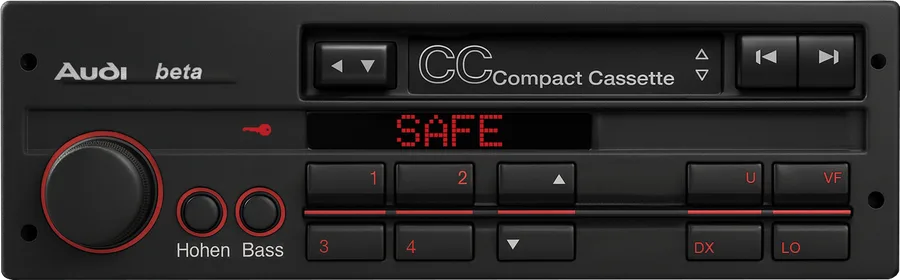
Gamma, Delta and Beta cassette radios

Delta CCGamma CCBeta CCGamma 3Delta 21991 – 1999
  1. Switch the radio on. The display reads SAFE, and on most units changes to 1000 by itself after a few seconds.
  2. If it stays on SAFE, hold the two keys printed on your radio card until 1000 appears: FM + AM on a Gamma, FM 1/2 + DX on a Delta or Gamma 3. Let go as soon as 1000 shows.
  3. Set the four digits with preset buttons 1 2 3 4.
  4. Hold the same two keys again until SAFE flashes. The frequency appears and the radio plays.
Audi Concert II radio showing SAFE

Chorus, Concert and Symphony, first and second generation

ChorusConcertSymphonyChorus IIConcert IISymphony II1997 – 2005
  1. Switch the radio on and wait for SAFE.
  2. Hold SCAN + RDS together until 1000 appears, then release. Blaupunkt-built units use TP + RDS instead; a Symphony may use AS + RDS. Use the pair your face has. Do not press them again now, or the radio takes 1000 as the code.
  3. Set the four digits with preset buttons 1 2 3 4.
  4. Hold the same two keys again until SAFE shows briefly. The radio unlocks and plays.
Audi Chorus II+ radio showing CODE 1000

Chorus II+, Concert II+ and Symphony II+

A3 8PA4 B7A6 C6TT 8JQ72004 – 2009
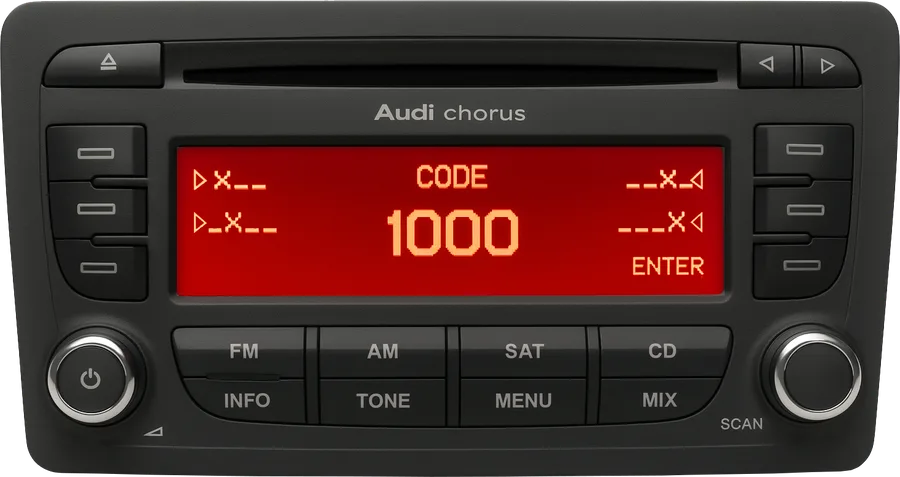
  1. Switch the radio on. The display reads SAFE, then CODE and 1000 on its own; nothing has to be held.
  2. Set the four digits with preset buttons 1 2 3 4.
  3. Confirm. On a Chorus II+ press ENTER, the key beside the display. On a Concert II+ or Symphony II+ press and hold the right-hand knob (marked SCAN) for about two seconds until the display changes.
  4. The radio unlocks. If SAFE comes back, check the digits and try once more; the display shows how many attempts you have left.
Audi Concert third generation with MMI-style controls

Chorus, Concert and Symphony, third generation

A4 B8A5Q5A1A6 C7A7Q32008 – 2016

These radios are paired to the car, so a flat battery does not lock them. The code is asked for when the unit has been fitted to another car, or after a repair.

  1. Switch on. The screen in the dash shows the code prompt with four empty positions.
  2. Turn the large knob to the first digit and press it to confirm. Repeat for the other three.
  3. Highlight OK and press the knob. The radio restarts and plays.

If the unit came from another Audi and asks for the code every time the ignition is switched on, the car still has component protection active. A dealer or a workshop with online diagnostics clears it; the code itself does not change.

Audi RNS-E Navigation Plus PIN entry screen

RNS-E, RNS-D and Navigation BNS 5.0

Navigation PlusRNS-DRNS-EBNS 5.01999 – 2015
  1. Switch on. The PIN entry screen appears with a dial of digits; your serial (AUZBZ7…) is written at the bottom.
  2. Turn the large knob to a digit and press it to enter. Do this for all four digits.
  3. Move to OK and press the knob. The map or the radio comes back.

On an RNS-E that drops back to the PIN screen after a correct code, hold SETUP + RADIO until the unit restarts, then enter the code again. The screen also shows the attempts remaining.

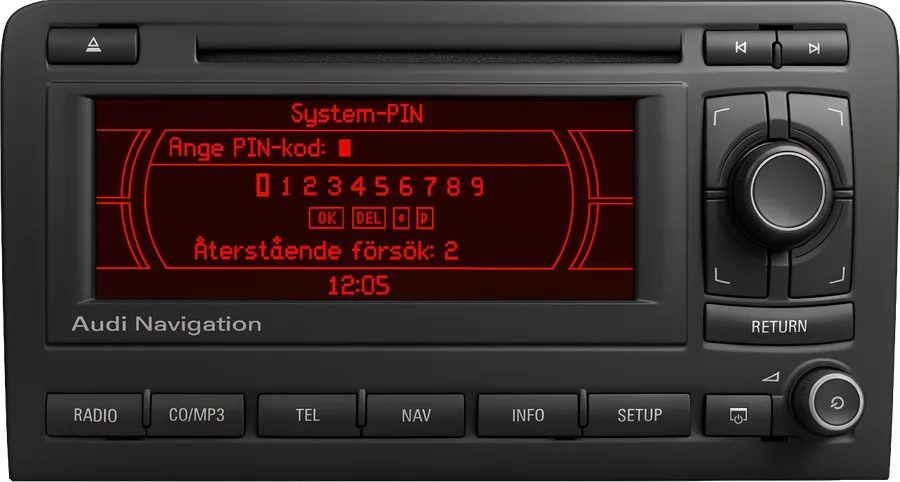
SAFE will not go away? After two wrong codes the radio locks itself for about an hour. Leave it switched on, with the ignition on, for 60 minutes without touching any key; the display then returns to 1000 (or the code prompt) and you can try again. Every wrong attempt doubles the wait, so take the digits from the email rather than from memory.

Why does an Audi radio ask for a code?

Every factory radio Audi fitted from the early 1990s carries a four-digit anti-theft code, set at the factory and tied to the unit's serial number. The radio locks itself whenever its power is cut: a flat or disconnected battery, a replaced alternator, a unit moved to another car. On switching back on it displays SAFE and waits for the code.

The code never changes and does not depend on the car, which is why it can be retrieved from the serial alone. Audi printed it on a radio card tucked into the service book; if that card is long gone, the serial on the label is the only thing you need. Keep the code with the car's papers once you have it.

Audi models covered

Any Audi with a factory radio whose serial starts with AUZ.

80 / 90100 / 200CoupéCabrioletA1A2A3S3 / RS3A4S4 / RS4allroadA5A6S6 / RS6A7A8Q3Q5Q7TTR8

Audi radio code questions

The price is shown as soon as the serial is identified, before you pay. Audi codes are looked up in the manufacturer's database for each individual serial, which is why they cost more than a VW or a Ford code. You pay by card, Apple Pay or Google Pay, and if the code does not unlock your radio you get the money back.
The delivery time is shown with the price. Audi codes are retrieved by hand from the factory records, usually within a few hours during working hours, Monday to Saturday. You get an email with the code and a link to the order page; the page also refreshes on its own while you wait.
Audi dealers can read the code from their system for the original radio of a car, given the registration document and the VIN; some charge for it, some do not. Our service exists for radios that came with a used car, for units fitted from another Audi, and for anyone who would rather not drive to a dealer.
A serial that starts with VWZ, SKZ or SEZ belongs to a radio from a Volkswagen, Skoda or Seat; pick that brand on the home page. BP followed by digits is a Blaupunkt aftermarket unit, which has its own page. A radio from a different brand fitted to an Audi follows that brand, not the car.
The unit is in its waiting period after wrong attempts. Leave it switched on, with the ignition on, for about an hour and do not press anything. When the display changes to 1000 or to the code prompt, enter the code again following the steps for your generation above.
Yes. The code belongs to the radio, not to the car. On third-generation units (2008 onwards) the car may additionally show a component-protection message, which a dealer clears with online diagnostics; the code we send is still the right one for the unit.
For Chorus, Concert, Symphony, Gamma and Delta units, yes, only far enough to read the label: four release keys in the slots at the corners of the face, then pull. RNS-E and BNS 5.0 navigation show the serial on the PIN screen, so they stay in place. If the radio card from the service book is still around, the serial is printed on it too.

Get your code using our app

Get the app Google Play

Reviews

Explore our reviews, or feel free to leave your own.

Reviews and ratings

4.5
rating stars green
rating stars disabled

Based on 159 ratings

Dean 25 Dec 2025
rating stars green
rating stars grey

Excellent service

Steve Botha 24 Dec 2025
rating stars green
rating stars grey

Efficient and easy

Timothy Dodd 23 Nov 2025
rating stars green
rating stars grey

I'll be so happy if this code works. I'll keep you posted. Thanks, Tim

Jeremias Krause 07 Nov 2025
rating stars green
rating stars grey

Nach über einer Stunde noch immer keinen Code erhalten

STEPHEN HASLAM 25 Sep 2025
rating stars green
rating stars grey

worked fine - e mail sent in 5 minutes - far cheaper than Audi who wanted £150 to do this (Audi bandits) highly recommend this for the small fee they charge

Dubmartt 19 Aug 2025
rating stars green
rating stars grey

Send incorrect code and don't answer emails

Alin 07 Aug 2025
rating stars green
rating stars grey

Bullsheet with free radio code!!!! They put me to pay 21 euro for IT!!!

حميد 26 Jul 2025
rating stars green
rating stars grey

شكرا علي الخدمة

Mark Perry 23 May 2025
rating stars green
rating stars grey

Amazingly quick

Kel Chatwin 07 Apr 2025
rating stars green
rating stars grey

Still waiting for my code 2 hours later

Kozari laszlo 26 Jan 2025
rating stars green
rating stars grey

I did not receive the requested code.

Abdo 19 Nov 2024
rating stars green
rating stars grey

I need radio code

Matej Grman 13 Oct 2024
rating stars green
rating stars grey

Pošlite mi láskavo kód alebo peniaze naspäť

Alex F 30 Apr 2024
rating stars green
rating stars grey

Great ! I got the code instantly, and it works !!!

Jose Trias 28 Apr 2024
rating stars green
rating stars grey

Un poco lento, pero sin problemas.

Ангел Трифонов 23 Apr 2024
rating stars green
rating stars grey

Наистина става на момента няма да ходиш на разни измислени майстори да даваш по 50/60 лева

Piotr 23 Mar 2024
rating stars green
rating stars grey

Code works, cheaper than competition. Audi Symphony II

Raimiss 10 Mar 2024
rating stars green
rating stars grey

Worked, tenx, i think that 13 euro cost that code

Wojtek 07 Mar 2024
rating stars green
rating stars grey

Super sprawa. Podałem nr radia, przyszedł mi opis. Potem opłata z konta i za około 5min kod dostałem na maila. Radio działa.. POLECAM...

Shereka woods 27 Feb 2024
rating stars green
rating stars grey

Code doesn’t work. I want a refund

Mbuyie 25 Feb 2024
rating stars green
rating stars grey

Tnx guy alot i got my code very easly.... With in a seconds it pop up on my email as well its legit... Reasonable price than buying new radio... im From South Africa.. In cape town

Chat 15 Feb 2024
rating stars green
rating stars grey

Accurate and quick

Aurel Muskaj 04 Feb 2024
rating stars green
rating stars grey

Code is correct. great fast service

Mirko 30 Jan 2024
rating stars green
rating stars grey

Great, audi concert radio code worked fine for me

Tom Bontje 25 Jan 2024
rating stars green
rating stars grey

Just paid 'these dudes', got the corresponding code within 40 seconds!! Thanks guys!!! Tom Bontje Holland

Marko 18 Jan 2024
rating stars green
rating stars grey

corect and fair price

Venci djambov 30 Dec 2023
rating stars green
rating stars grey

Code is not delivered in e mail after payment

Nathan 28 Dec 2023
rating stars green
rating stars grey

Very simple and fast. Thank you

Nigel Foreman 19 Dec 2023
rating stars green
rating stars grey

Great service, super efficient very happy.

Nigel Foreman 19 Dec 2023
rating stars green
rating stars grey

Great service, super efficient very happy.

Veli 19 Dec 2023
rating stars green
rating stars grey

Still need help

Nistor 14 Dec 2023
rating stars green
rating stars grey

Momentan aștept

Peter mears 30 Nov 2023
rating stars green
rating stars grey

Didn't take long to get the code I hope it works

Mesut 23 Nov 2023
rating stars green
rating stars grey

Olum başarılı tavsiye ediyorum